#1 AutoCAD Course
AutoCAD Course, from Your First Line to Print-Ready Working Drawings
One student, one mentor, learning to draw in AutoCAD the right way: drawing precise lines, organizing layers, adding dimensions and annotations, printing to scale, and building 3D models. Practice with case studies that mirror real projects, anywhere online.




60+
tutors
480+
students
4.9
rating · 1,272 reviews
60+
cities
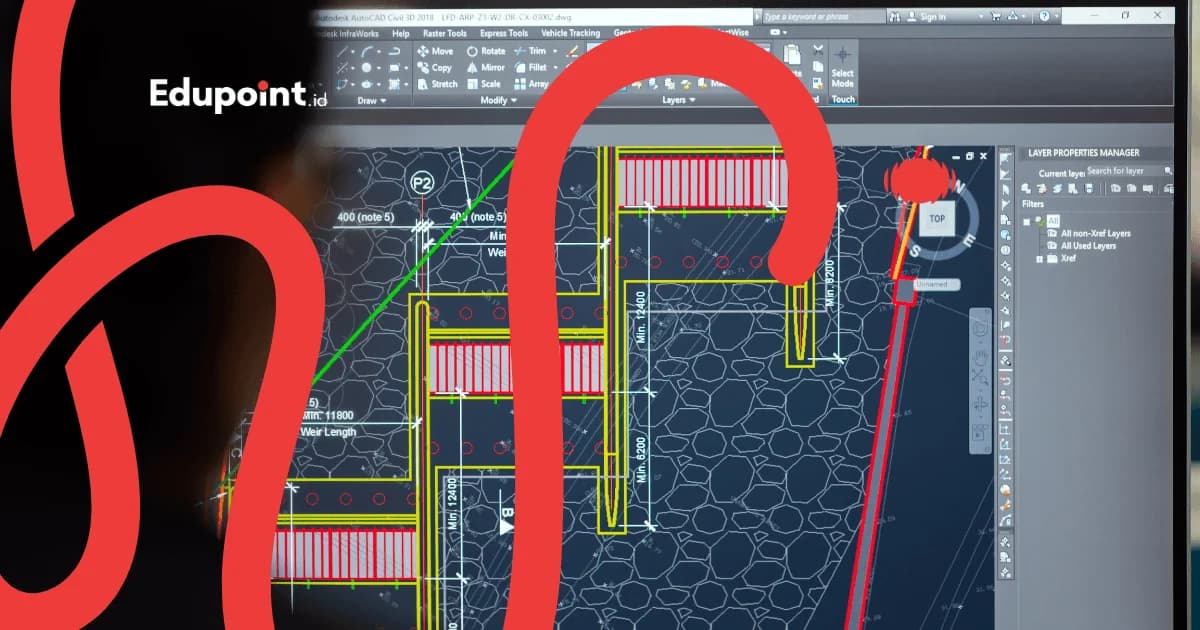
What is AutoCAD Course?
An AutoCAD course is private one-on-one guidance to master AutoCAD, the industry-standard technical drawing software by Autodesk. The material spans from precise 2D drafting fundamentals, managing layers and blocks, adding dimensions and annotations, printing to scale, to building 3D models. The goal is singular: to make you capable of producing clean, accurate working drawings ready for use on a project. The material adapts to your field, whether architecture, civil engineering, mechanical engineering, or interior design. Mentors are drafters and graduates of engineering and architecture, with a rate of Rp126,000 for a 60-minute session.
- One student, one mentor, material that follows your field and goals
- Learn with case studies that mirror real working drawings
- Master the full flow: precise 2D, annotation, scaled printing, to 3D
- Build a drawing portfolio you can show to recruiters
- Suitable for beginners with no technical drawing experience
Services
Learn AutoCAD Online, Privately, or with Peers
Whatever the format, the flow is the same: from your first line to print-ready working drawings.
Online AutoCAD Course
Learn via Zoom with screen sharing, practicing directly in AutoCAD with a mentor guiding every command.
Rp 126.000/session
60 minutes
- Hands-on drawing guided by your mentor
- Recorded sessions to replay
- Digital practice files and templates (.dwt)
- Available for students across Indonesia
In-Person AutoCAD Course
A mentor comes to your home for direct guidance at the screen, available in select cities.
Rp 159.000/session
90 minutes
- Mentor comes to your home
- Direct guidance while you draw
- Ideal for those who need distraction-free focus
- Flexible scheduling to suit you
Small-Group AutoCAD Course
Learn with 2-3 classmates or colleagues, sharing case studies and reviewing each other's drawings.
Rp 119.000/session
90 minutes
- 2-3 students per group
- Great for a team or batchmates
- Lower cost per student, the group discount is computed automatically in the form
- Case studies worked on together
AutoCAD Learning Stages
Four progressive stages, from drawing your first line to building 3D models.
2D Basics & Navigation
Never touched AutoCADGet to know the interface, the coordinate system, and how to correctly draw and edit 2D objects. The foundation that makes every later stage feel logical.
Subjects:
Interface and basic commandsLine, polyline, circle, arcModify: move, copy, trim, offsetObject Snap (OSNAP) and layers
Focus Areas:
- Drawing with precision
- Getting fluent with commands
- Thinking tidy from the start
- Fast navigation
Working Drawings & Annotation
Comfortable drawing in 2DTurn drawings into working documents: adding dimensions, text, hatching, and preparing layouts to print at the correct scale.
Subjects:
Dimensions and textHatch and material patternsBlocks and dynamic blocksLayout, paper space, and scaled printing
Focus Areas:
- Documented drawings
- Accurate dimensions
- Printing to PDF and paper
- Working-drawing standards
Advanced Techniques & Productivity
Want to draw fasterSpeed up your work with templates, external references, attributes, and the working habits of a professional drafter.
Subjects:
Templates (.dwt) and layer standardsXref (external reference)Attributes and dynamic blocksShortcuts and efficient workflow
Focus Areas:
- Faster, more consistent work
- Collaboration across files
- Reducing repetitive work
- Tidy, to team standards
3D Modeling & Visualization
Ready to step into 3DBuild three-dimensional objects with solid modeling, set up viewpoints, and produce simple visuals from your model.
Subjects:
UCS and 3D navigationSolid modeling: extrude, revolveUnion, subtract, and intersectViews, basic rendering, and output
Focus Areas:
- Thinking in three dimensions
- Models from 2D drawings
- Visuals for presentation
- Foundation toward BIM and product design
AutoCAD Course Curriculum
Five pillars built up step by step, from learning commands to 3D output.
Mentors adjust the emphasis to your field. Architecture students focus on floor plans, elevations, and sections, mechanical students focus on part details and 3D, interior designers focus on layouts and furniture blocks.
AutoCAD Basics & Navigation
Get to know the interface, the coordinate system, and how to move around and select objects nimbly.
- Interface and ribbon
- Coordinate system and units
- Zoom, pan, and selection
- Commands via the keyboard
Drawing & Editing in 2D
Draw precise lines and reshape them with the modify commands that are a drafter's bread and butter.
- Line, polyline, circle, arc
- Trim, extend, fillet, offset
- Object Snap and polar tracking
- Array and mirror
Layers, Blocks & Productivity
Organize drawings so they stay tidy and easy to edit, then speed up work with blocks and templates.
- Layer management
- Blocks and dynamic blocks
- Templates and drawing standards
- Xref across files
Annotation, Layout & Scaled Printing
Turn drawings into complete working documents with dimensions, then print them at the correct scale.
- Dimensions and text styles
- Hatch and tables
- Layout and viewports
- Plotting to PDF and paper
3D Modeling & Output
Step into three dimensions with solid modeling and produce simple visuals from your model.
- UCS and 3D navigation
- Extrude, revolve, and solid operations
- Views and cameras
- Basic rendering and export
Who It Is For
Engineering Students, Aspiring Drafters, to Entrepreneurs: All Start from the Same Line
Engineering & Architecture Students
Students who need AutoCAD for drawing assignments, lab reports, internship prep, and final projects, with guidance when the campus pace feels fast.
Recommended:
2D basics to working drawingsCase studies matched to your major
Aspiring Drafters & Job Seekers
Graduates or career switchers who want to become drafters, with a structured learning path and a drawing portfolio ready to show recruiters.
Recommended:
Full flow to scaled printingGuidance building a portfolio
Construction & Manufacturing Professionals
Drafters, operators, or technical staff already working who want to draw faster, step up to 3D, or tidy their workflow to team standards.
Recommended:
Productivity and templates3D modeling and output
Entrepreneurs & Small Contractors
Owners of furniture businesses, contractors, or interior-service providers who want to make their own working drawings without always depending on another drafter.
Recommended:
Practical layouts and plansCase studies from your own work
From Reviewing Thousands of Drawings
Four Bad Habits That Often Trap AutoCAD Beginners
The mistakes we most often see in beginner drawings, and how mentors train students to avoid them from the start.
Drawing every object on a single layer
Why it happens
Beginners ignore layers because the drawing still looks the same, but as it grows, editing and printing become chaotic because everything is mixed together.
How we fix it
Mentors instill the habit of organizing layers from the first line, separating walls, dimensions, and text, so the drawing is easy to manage and prints cleanly.
Drawing without correct units and scale
Why it happens
Many draw at arbitrary sizes, so the drawing can't be printed accurately and dimensions on site end up off.
How we fix it
We teach drawing 1:1 in model space with the right units, then setting scale in the layout, the principle that separates amateur sketches from working drawings.
Ignoring Object Snap so lines don't connect
Why it happens
Without OSNAP, line ends often miss by a few millimeters and leave gaps invisible on screen but fatal to area calculations and hatching.
How we fix it
Mentors make OSNAP endpoint and intersection a reflex, so every object connects precisely and calculations stay accurate.
Redrawing the same object over and over
Why it happens
The same doors, windows, or symbols are drawn manually again and again, wasting time and making the drawing hard to update all at once.
How we fix it
We introduce blocks and dynamic blocks early, so one object can be reused, counted automatically, and changed across the whole drawing at once.
Why Us
Learning with Case Studies Like Real Projects: That's the Difference in This AutoCAD Course
Mentors used to producing working drawings guide you one-on-one, from your first line to a drawing portfolio.
One Student, One Mentor
You set the pace. Ask and practice as much as you like, with every drawing mistake corrected right away, no waiting for a class.
Case Studies Like Real Projects
Practice uses drawings that mirror real work, so your skills are immediately relevant for studies, applying, or working.
Full Flow to Printing
From precise 2D, annotation, scaled printing, to 3D, in one coherent learning path.
Ends in a Portfolio
Your learning is woven into a drawing portfolio you can show recruiters, beyond a single certificate.
Tailored to Your Field
Material is steered toward architecture, civil, mechanical, or interior to match your major and goals, so every session feels useful.
Flexible and Online
Learn online from anywhere with a schedule that fits your studies or work.
Featured AutoCAD Mentors
Our mentors are graduates of Civil Engineering, Architecture, Mechanical Engineering, and Interior Design from leading campuses, used to drawing for real projects and teaching it step by step.
Tutor Qualifications
- Graduates of Civil Engineering, Architecture, Mechanical Engineering, and Interior Design from leading campuses
- Used to producing working drawings for projects and engineering assignments
- Teach through applied case studies, beyond merely introducing commands
- Guide from zero to a drawing portfolio ready to show
Nabila A.
Civil Engineering, Institut Teknologi Sepuluh Nopember
Precision in civil drawings“In civil drawings, a single line off the mark can change a calculation. Nabila, from Civil Engineering at Institut Teknologi Sepuluh Nopember, instills precision and tidy layers from the very first line.”
Rezky R.
Mechanical Engineering, Universitas Indonesia
Part details and tolerances“Many students get overwhelmed once part dimensions and tolerances grow complex. Rezky, a Mechanical Engineering graduate of Universitas Indonesia, breaks them down slowly until every measurement reads clearly.”
Najah F.
Architecture, Universitas Diponegoro
The logic of architectural drawings“Drawing a floor plan tells a story about space. With an Architecture background from Universitas Diponegoro, Najah guides students to grasp the logic of plans, elevations, and sections before moving into details.”
Andre A.
Mechanical Engineering, Universitas Kristen Petra
From 2D to 3D models“Andre studied Mechanical Engineering at Universitas Kristen Petra and loves taking students up to 3D, lifting 2D drawings into solid models that can be rotated and inspected.”

Andi Aqsha A.
Civil Engineering, Universitas Hasanuddin
Layout and scaled printing“Scale is often dismissed as trivial until a drawing fails to print cleanly. Andi Aqsha, from Civil Engineering at Universitas Hasanuddin, gets students drawing 1:1 and then setting the scale in the layout correctly.”

Ela P.
Interior Design, Universitas Kristen Maranatha
Space layouts and furniture“A comfortable room is born from a well-considered layout. Ela, an Interior Design graduate of Universitas Kristen Maranatha, helps students arrange furniture plans and assemble details a carpenter can readily follow.”
Testimonials
From Lost Opening AutoCAD to Confident Making Working Drawings
Honest experiences from EduPoint students, from engineering undergrads to entrepreneurs who finally draw their own.
I'm a Civil Engineering student with loads of drawing assignments. My mentor patiently taught me OSNAP, layers, and scaled printing. Now my drawing assignments are far tidier and finished faster.
Rizky P.
Civil Engineering student • Surabaya
I switched careers wanting to become a drafter. Starting from zero, my mentor mapped a path from 2D, annotation, to a working-drawing portfolio. Now I'm confident applying with sample drawings of my own.
Andre W.
Career switcher to drafter • Jakarta
As an Architecture student, I needed AutoCAD for plans and sections. Learning dynamic blocks for doors and windows saved me a huge amount of time. My mentor really understood the demands of studio assignments.
Salma R.
Architecture student • Bandung
I work in a manufacturing workshop and wanted to read and make part drawings myself. My mentor went straight into dimensioning and tolerances, then on to 3D solids. Now I can help the design side.
Bayu S.
Manufacturing operator • Bekasi
I'm a beginner interior designer and still unsure about layouts. My mentor helped me arrange furniture plans and make cabinet details a carpenter can understand. My client presentations are far more convincing.
Nadia F.
Beginner interior designer • Tangerang
I run a furniture business and used to always hire a drafter for drawings. After learning AutoCAD, I can make working drawings for wardrobes and tables myself. Communicating with carpenters is much clearer now.
Mr. Hendra K.
Furniture business owner • Semarang
I taught myself from videos but kept getting stuck and confused about the order to learn. With a private mentor, the path became clear and every drawing mistake was corrected right away. Progress was much faster.
Fitra A.
Fresh graduate • Depok
I've been a drafter for a while, but my drawings weren't efficient. My mentor taught me templates, xref, and shortcuts that made my work faster and more consistent. I just wish I'd known these tricks sooner.
Ms. Wulan D.
Professional drafter • Jogja
AutoCAD Course Fees
AutoCAD lessons are priced per hour with nothing hidden: drafting sessions come in hour-long, 90-minute, or two-hour blocks, booked anywhere from 4 to 28 times monthly, and the full total appears openly at registration.
Starting from
Rp 102.000 / hour
Final price is set at registration.
This is the lowest hourly rate, derived from the 28-session monthly plan at 120 minutes per session. Per-session prices (60, 90, or 120 minutes) appear in the format options above.
Flexible payment — QRIS, Virtual Account, Alfamart, Indomaret, transfer & e-wallets.
Prices may adjust to your learning goals, location, and lesson format. Contact us for a firm quote.
AutoCAD Course Availability
Online Tutoring
Online WorldwideOnline AutoCAD courses are available for students across Indonesia and abroad.
- Learn right at the screen with screen sharing
- Sessions recorded and replayable
- Digital practice files and templates
In-Person Tutoring
All CitiesIn-person AutoCAD courses, with mentors coming to your home in the following cities.
Jakarta14+ tutorsBandung9+ tutorsSurabaya8+ tutorsDepok6+ tutorsTangerang6+ tutorsBekasi6+ tutorsJogja7+ tutorsSemarang5+ tutors
+4 more citiesStudent Achievements
Careers Built Through Technical Drawing
Real journeys of EduPoint students from learning AutoCAD to creating with it.
Success
From Vocational Grad to Building-Consultant Drafter
Galih T.
Background
A vocational-school graduate who only knew basic manual drawing
Learned step by step from 2D, annotation, to architectural working drawings while building a portfolio
Hired as a drafter at a building-design consultancy
Success
Mechanical Student Who Won a Design Contest
Reza M.
Background
A student struggling with part details and 3D drawings
Deepened precision drawing, tolerances, and solid modeling through component case studies
His design drawings placed in a campus product-design contest
Success
Interior Service Owner Who Finally Draws for Herself
Vera S.
Background
An interior-service provider who always relied on freelance drafters
Focused on layouts, furniture plans, and cabinet details from her own real project
Able to produce her own working drawings and speed up communication with carpenters
FAQ
Unsure About Fields, Laptop Specs, or AutoCAD Course Fees? Here Are the Answers
The questions that come up most before starting, answered honestly.
Complete Guide
Complete AutoCAD Course Guide
Guides & Tips
Supporting articles to help you decide and maximize learning outcomes.
How to Draw a House Floor Plan in AutoCAD: A Step by Step Guide
From a rough sketch to a scaled, print-ready plan, using the core commands drafters rely on every day.
How to Learn AutoCAD From Scratch for Beginners
Learning AutoCAD makes sense when the order builds up in stages. Start by setting up the software and learning the interface, practice precise 2D drawing, organize your layers, then climb into annotation and scaled plotting while copying real objects.
Learning AutoCAD 2D for Beginners: Precise Technical Drafting
Drawing in 2D with AutoCAD becomes straightforward once you understand coordinates, build a habit around seven core commands, and switch on the precision aids. Practise the workflow by copying real drawings until your hand learns the rhythm of accurate lines.
Related Programs
Other programs that might be suitable for you
Draw Your First Line Today
A free consultation to choose your field, match a mentor, and map a path from 2D basics to working drawings and a portfolio.
Free consultation, no commitmentCase studies like real projectsRight-fit guarantee any time