Technology & Digital — The Content-Era's Most Wanted Skill
Video Editing Lessons — From CapCut to Professional Editor
280+ professional editor tutors from agencies, production houses, and content creators ready to guide you. Learn CapCut, Adobe Premiere Pro, and DaVinci Resolve with real projects. Every session ends with one finished video you can upload straight away; choose in-person in your city or online over Zoom with your editing screen guided live.




280+
tutors
2,400+
students
4.9
rating · 1,208 reviews
60+
cities
What is Video Editing Lessons?
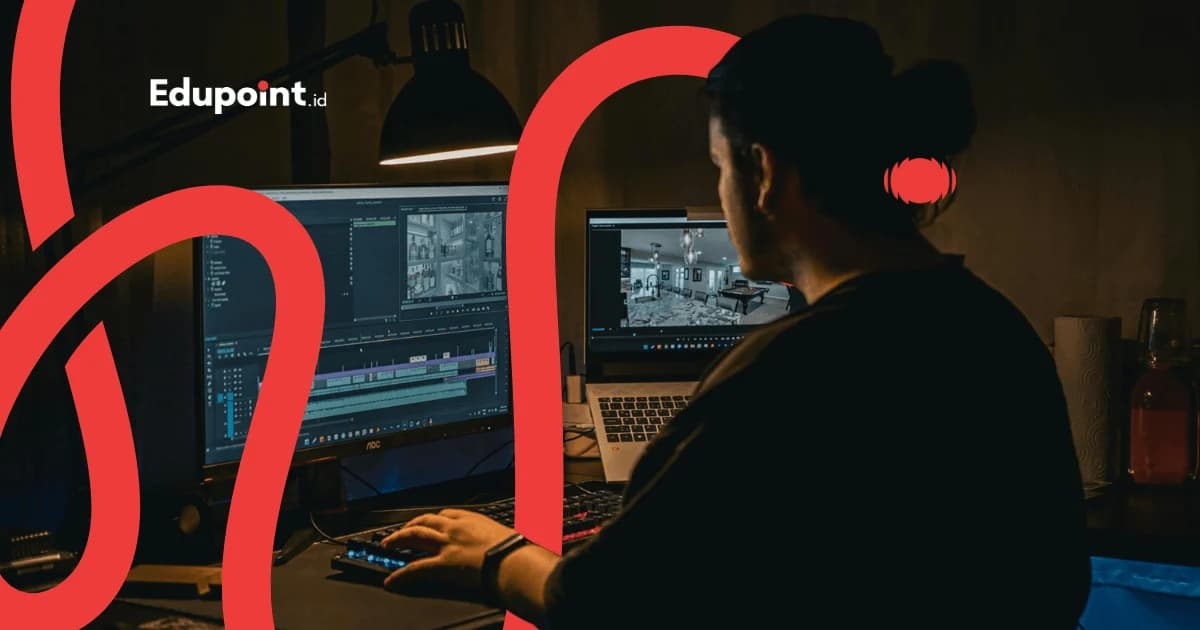
are private tutoring programs to master video editing skills — from cutting clips, transitions, and color grading to motion graphics. EduPoint's program covers software from the most beginner-friendly (CapCut) to the industry standard (Adobe Premiere Pro, DaVinci Resolve). Learning is project-based, so every student leaves with results that can go straight into a portfolio or be uploaded to their own channel.
- Active editor tutors from agencies & production houses
- Full software: CapCut, Adobe Premiere Pro, DaVinci Resolve
- Project-based — real output every module
- Portfolio reel ready for job or client applications
- Suits content creators, freelancers, and employees
Services
Two Ways to Take Your Video Editing Lessons
In-Person Video Editing Lessons
Tutor comes to your home or preferred location with a work laptop
Rp 233.000/ 120-minute session
Price on the 28-session monthly plan, 120-minute sessions. Fewer meetings, higher price per session.
- 1-on-1 with a professional editor
- Live project review on screen
- Optimal editing workspace setup
- Flexible schedule & location
Online Video Editing Lessons
Via Zoom with screen sharing + session recordings
Rp 181.000/ 90-minute session
Price on the 28-session monthly plan, 90-minute sessions. Fewer meetings, higher price per session.
- Two-way screen sharing for project review
- Access from any city
- Session recordings to replay
- No commute time
Online and in-person cost the same — the gap between these cards is session length, nothing else.
Learning Levels
From never having edited to a job-ready editor
Beginner — Mobile Editing
CapCut & Editing from Your PhoneStart from zero with CapCut: cutting clips, adding text, music, and transitions for TikTok/Reels content
Subjects:
CapCut mobile & desktop basicsCut, trim, and timeline basicsText, stickers, and auto-captionMusic, sound effects, and beat sync
Focus Areas:
- Edit your first video in 1 session
- Vertical content for TikTok/Reels/Shorts
- Fast workflow from your phone
- Building a content-publishing habit
Intermediate — Professional Editor
Adobe Premiere ProStep up to the industry standard: Premiere Pro for structured, multi-track editing and professional workflow
Subjects:
Premiere Pro interface & workflowMulti-track editing & nested sequencesAudio mixing & noise reductionTransitions, keyframes, and basic effects
Focus Areas:
- Professional-scale structured editing
- YouTube, company profile, ad projects
- File management & proxy workflow
- Optimal export per platform
Advanced — Color & Motion
DaVinci Resolve & After EffectsDeep dive into cinematic color grading, motion graphics, and basic VFX for production-house-level results
Subjects:
Color correction & grading in DaVinci ResolveNode-based color workflowBasic motion graphics (After Effects)Title animation & lower-thirds
Focus Areas:
- Cinematic looks & color grading
- Motion graphics for branding
- Advanced showreel & portfolio
- Preparation for agency/production-house work
Materials & Software Covered
Modular curriculum — focus on one software or the full path
CapCut — Mobile & Desktop
The most beginner-friendly software, free, popular for social media content
- Cut, trim, split, and clip speed
- Auto-caption & kinetic text
- Templates, transitions, and viral effects
- Music beat sync & sound effects
Adobe Premiere Pro
The industry standard for video editing in Indonesia and worldwide
- Project setup, sequences, and timeline
- Multi-cam & multi-track editing
- Keyframes, transitions, and visual effects
- Export & render per platform (YouTube, IG, TikTok)
DaVinci Resolve — Color Grading
Hollywood-grade color grading tool with a professional free version
- Color correction vs color grading
- Node-based workflow
- LUTs, scopes, and color matching
- Cinematic looks & color moods
Audio & Sound Design
Clean audio makes a video feel professional
- Noise reduction & audio cleanup
- Music beds & ducking
- Sound effects & basic foley
- Audio leveling & loudness standards
Basic Motion Graphics
Text and graphic animation for livelier videos
- Title animation & lower-thirds
- Simple logo animation
- Introduction to After Effects
- Motion graphics templates
Storytelling & Workflow
Technique isn't everything — the story decides
- Video narrative structure (hook, body, payoff)
- Editing rhythm & pacing
- Efficient workflow from footage to export
- File management & project backup
Pick the track that fits your goal — content creator, professional editor, or colorist
Video Editing Career Paths
Video editing is one of the most in-demand digital skills in the content era. EduPoint offers three structured learning tracks, each with real projects and a clear career target.
Content Creator Track (CapCut)
2-3 months
Professional Editor Track (Premiere Pro)
4-6 months
Colorist & Motion Track (DaVinci Resolve)
5-8 months
Phase 1
CapCut Basics
3 weeks
Skills to Learn:
Cut & trimText & captionsMusic & beat syncPopular transitions
Project:
30-second TikTok/Reels video
Milestone:
Can edit vertical content independently
Phase 1
CapCut Basics
3 weeks
Skills to Learn:
Cut & trimText & captionsMusic & beat syncPopular transitions
Project:
30-second TikTok/Reels video
Milestone:
Can edit vertical content independently
1
Phase 2
Themed Content
3 weeks
Skills to Learn:
First 3-second hookShort-form storytellingViral effectsColor presets
Project:
A consistent 3-video themed series
Milestone:
Has a consistent editing style
Phase 2
Themed Content
3 weeks
Skills to Learn:
First 3-second hookShort-form storytellingViral effectsColor presets
Project:
A consistent 3-video themed series
Milestone:
Has a consistent editing style
2
Phase 3
Routine Production & Monetization
3-6 weeks
Skills to Learn:
Batch editingFast workflowThumbnails & coversContent analytics
Project:
A 1-month content plan + 8 finished videos
Milestone:
Ready for routine production & monetization
Phase 3
Routine Production & Monetization
3-6 weeks
Skills to Learn:
Batch editingFast workflowThumbnails & coversContent analytics
Project:
A 1-month content plan + 8 finished videos
Milestone:
Ready for routine production & monetization
3
Outcome
Content Creator / Social Media Editor
Expected Salary
3-8 million rupiah/month or monetize your own channel
Target Companies
Own channelSmall businessesFreelanceBrand partnerships
Who It Is For
These Video Editing Lessons Fit You If You...
Beginner Content Creators
Teens/adults who want to build a TikTok, YouTube, or Instagram channel with clean, engaging content
Recommended:
Content Creator TrackCapCut focus
Career Switchers
Professionals who want to move into the creative industry as video editors
Recommended:
Professional Editor TrackPortfolio prep
Students & University Students
High school/university students who want a freelance skill for extra income
Recommended:
Content Creator TrackProfessional Editor Track
Business Owners & SMEs
Entrepreneurs who want to create their own promotional content without relying on editor services
Recommended:
Content Creator TrackCapCut + basic Premiere focus
Why Us
What Makes EduPoint Video Editing Lessons Worth It
Editor tutors still active on real projects, a curriculum from free software to pro, and a portfolio that grows with every session
Active Industry Editor Tutors
Our 280+ tutors are editors still actively working at agencies, production houses, or as content creators. They teach real-world workflows, not outdated theory.
Learn with Real Projects
Every module produces real output — a TikTok video, company profile, showreel. Not empty exercises, but work that goes straight into a portfolio.
Full Software from Free to Pro
Start with free, beginner-friendly CapCut, step up to industry-standard Adobe Premiere Pro, then DaVinci Resolve for Hollywood-grade color grading.
Clear Career Paths
Three structured tracks — Content Creator, Professional Editor, Colorist — each with a clear career target and transparent income estimates.
Job-Ready Portfolio & Showreel
By the end of the program, students have a showreel and several projects across genres — real capital to apply for jobs or attract freelance clients.
Flexible Online & In-Person
Choose in-person in 30 cities or online via Zoom with two-way screen sharing and session recordings. Learn from the best editors with no geographic limits.
EduPoint Video Editing Tutors
Active editors from agencies, production houses, and professional content creators
Tutor Qualifications
- Active editors at agencies, production houses, or professional content creators
- Real portfolio — showreel, client projects, or monetized channel
- Master at least 2 software (CapCut + Premiere/DaVinci)
- At least 2 years of teaching or mentoring experience
- Completed EduPoint teaching methodology training
Herdi H.
Film and Television, IKJ Graduate School
Storytelling through cuts“With a film-and-television background, Herdi teaches students to arrange clips into a flowing story, the heart of editing.”
Chin C.
Visual Communication Design, Universitas Komputer Indonesia
Editing software basics“Chin guides students to master editing tools step by step, from trimming clips to adding transitions.”
Laurent C.
3D Animation, UCSI University
Motion and timing“With an animation background, Laurent stresses a feel for motion and timing, so edits feel alive and pleasant to watch.”
Gray M.
Multimedia Engineering Technology, Universitas Telkom
Audio and visual in sync“Gray trains students to sync audio with visuals, because the right sound makes a video feel far more polished.”

Gary G.
Multimedia, Universitas Surabaya
Color and mood“Gary introduces color grading to build mood, the touch that makes a video feel more memorable.”

Ghina G.
Animation, Universitas Bina Nusantara
Adding motion graphics“With an animation background, Ghina teaches students to add simple motion graphics, so a video looks more dynamic and professional.”
Testimonials
Hear from Students Who Already Learned Video Editing Here
From casually editing phone clips to landing an agency editor role, these are their stories
Video Editing Lessons Pricing
An investment in a skill that earns directly
Starting from
Rp 116.000 / hour
Final price is set at registration.
This is the lowest hourly rate, derived from the 28-session monthly plan at 120 minutes per session. Per-session prices (60, 90, or 120 minutes) appear in the format options above.
Flexible payment — QRIS, Virtual Account, Alfamart, Indomaret, transfer & e-wallets.
Price includes modules, project briefs, and portfolio review. CapCut & DaVinci Resolve are free; Adobe Premiere Pro requires a separate subscription (the tutor will guide you).
Video Editing Lessons Availability
Online Tutoring
Online WorldwideOnline video editing lessons via Zoom with two-way screen sharing, available for students across Indonesia and abroad
In-Person Tutoring
All CitiesIn-person video editing lessons available in these cities with verified editor tutors
Jakarta70+ tutorsBandung38+ tutorsSurabaya32+ tutorsYogyakarta30+ tutorsSemarang20+ tutorsDepok22+ tutorsTangerang20+ tutorsBekasi18+ tutors
+2 more citiesStudent Achievements
Career Success Stories Through Video Editing
Real achievements from EduPoint students
Success
From Factory Worker to Agency Editor
Syaifullah F.
Background
Factory worker with no creative background
7 months of intensive video editing lessons (Professional Editor Track)
Hired as a full-time video editor at a Jakarta digital agency, with double his previous salary
“I had never touched editing software before. Kak Faris guided me from the first click to having a showreel. A career switch that was once just a dream is now real.”
Tutors:
Kak Faris M. (Premiere Pro)Kak Arvand M. (Commercial Editing)
Success
Content Creator with a Monetized Channel
Khairina F.
Background
Stay-at-home parent who wanted income from home
5 months of video editing lessons (Content Creator Track)
YouTube channel met monetization requirements, now earning regularly from AdSense + endorsements
“From absolutely zero. Kak Natasya taught me CapCut until I was confident uploading regularly. Now my channel is a source of income from home while caring for my kids.”
Tutors:
Kak Natasya H. (CapCut & Content)Kak Haydar A. (YouTube Storytelling)
Success
Student Who Became a Paid Freelance Editor
Aqil K.
Background
4th-semester university student wanting extra income
6 months of video editing lessons (Professional + Colorist Track)
Has regular freelance editing clients, with income exceeding his monthly allowance
“I started by editing videos for seniors, now I have clients from other cities. Learning color grading raised my rates because the results look more premium.”
Tutors:
Kak Arvand M. (Premiere Pro)Kak Airlangga M. (DaVinci Resolve)
FAQ
Practical Questions About Video Editing Lessons
Complete Guide
Complete Guide to Video Editing Lessons
Guides & Tips
Supporting articles to help you decide and maximize learning outcomes.
How to Learn Video Editing from Scratch for Beginners
A six-stage practice map, from organizing footage to the final export, using free software and a sensible timeline for beginners.
Video Editing Workflow for Beginners: The Order from Import to Export
One fixed working order for a single project, from arranging raw media, locking the picture, balancing sound and color, to delivering the file to its target platform.
Related Programs
Other programs that might be suitable for you
Grab the Camera, Open the Timeline, Start Video Editing Lessons!
Your first finished video can be done this week, guided by editors who work daily on everything from social media content to company profiles