Technology & Productivity
Computer Course
Private computer lessons for all ages — kids new to computers, students needing ICT skills, professionals wanting Microsoft Office mastery, and seniors becoming digitally literate. Learn from scratch with a patient tutor, one-on-one at your own pace, at home or over Zoom at a price that stays friendly for families.



380+
tutors
4,200+
students
4.9
rating · 728 reviews
60+
cities
What is Computer Course?
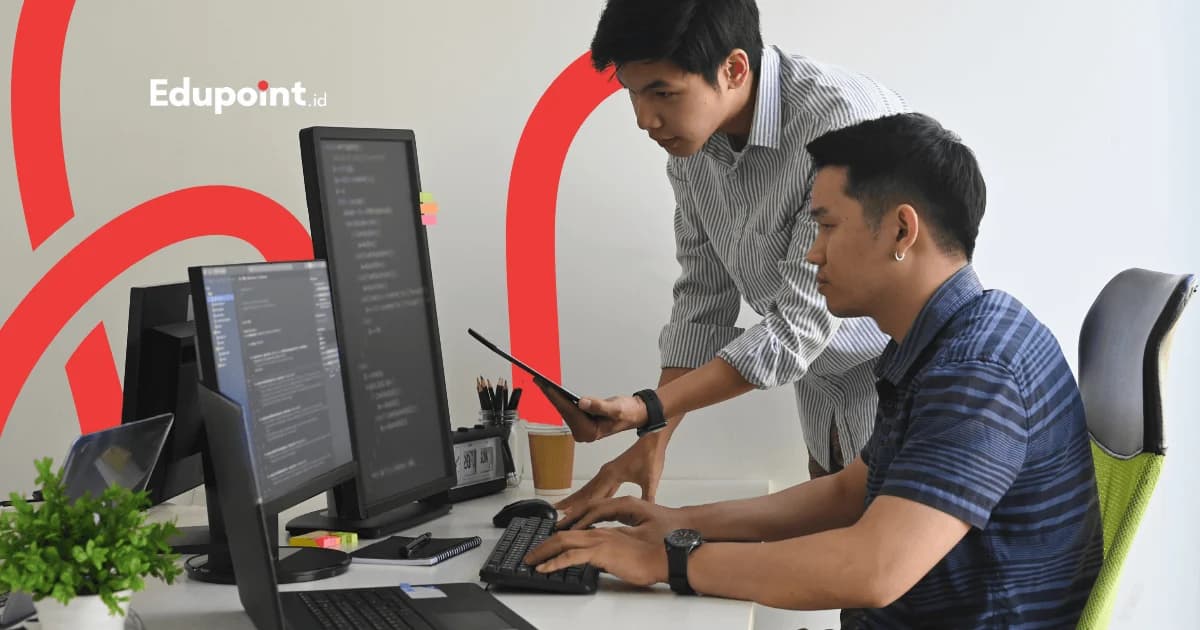
A computer course is a one-on-one tutoring program to master computer skills from the most basic level to proficient. The material covers basic operations (mouse, keyboard, file management), Microsoft Office (Word, Excel, PowerPoint), fast 10-finger typing, internet & email, and digital literacy (online security, e-wallets, online public services). This program is an umbrella — tailored for elementary kids just starting, students needing ICT grades, office workers, and seniors wanting to stay connected in the digital age.
- Learn 1-on-1 with a patient tutor, at your own pace
- Material from scratch: mouse, keyboard, to Microsoft Office
- Curriculum tailored: kids, students, workers, or seniors
- Fast 10-finger typing with proven method
- Digital literacy: safe internet, email, online services
- In-person at home or online via Zoom
Services
Ways to Take Your Computer Course: At Home, Online, or in Pairs
Match the format to who's learning, from a senior new to the mouse to a busy student
In-Person Lessons
Tutor comes to your home with their own laptop
Rp 124.000/ 90-minute session
Price on the 28-session monthly plan, 90-minute sessions. Fewer meetings, higher price per session.
- Hands-on practice guided by tutor
- Can use your own computer/laptop
- Hand position correction while typing
- Ideal for complete beginners & seniors
Online Lessons
Via Zoom with screen sharing
Rp 98.000/ 60-minute session
Price on the 28-session monthly plan, 60-minute sessions. Fewer meetings, higher price per session.
- Tutor guides via screen sharing
- Session recording to replay
- Flexible from home
- Great for students & workers
Small Group Lessons
Learn with 2-3 people
Rp 93.000/ 90-minute session
Price on the 28-session monthly plan, 90-minute sessions. Fewer meetings, higher price per session.
- One base rate covers the group; the registration form shows the per-person cut right away
- Great for siblings or friends
- Learn the same material
- Relaxed learning atmosphere together
Online and in-person cost the same — the gap between these cards is session length, nothing else.
Computer Learning Levels
Learning roadmap from complete beginner to office proficiency
Introduction
Getting to Know Computers (0-1 month)For those who have never touched a computer. Getting to know the device, how to turn it on, mouse, and keyboard.
Subjects:
Hardware & SoftwareMouse & KeyboardBasic Operating System
Focus Areas:
- Knowing computer parts & functions
- Practice click, double-click, drag mouse
- Knowing important keyboard keys
- Turning computer on & off correctly
Basic
Basic Operations & Files (1-2 months)Mastering file management, basic typing, and built-in computer applications.
Subjects:
File ManagementBasic TypingBuilt-in Applications
Focus Areas:
- Create, save, & organize folders
- Type with correct finger position
- Copy, paste, rename, delete files
- Using Notepad, Calculator, Paint
Intermediate
Microsoft Office & Internet (2-4 months)Core office skills: Word, Excel, PowerPoint, plus internet and email.
Subjects:
Microsoft WordMicrosoft ExcelInternet & Email
Focus Areas:
- Word: documents, letters, neat formatting
- Excel: tables, basic formulas, charts
- PowerPoint: engaging presentations
- Safe browsing, email, Google Drive
Proficient
Productivity & Digital Literacy (4+ months)Computer for real productivity: professional documents, spreadsheets, and digital security.
Subjects:
Advanced OfficeDigital LiteracyProductivity
Focus Areas:
- Word: mail merge, automatic table of contents
- Excel: VLOOKUP, basic PivotTable
- Digital security & safe passwords
- Online public services & e-wallets
Computer Learning Material
Complete modules that can be combined to your needs
Material rearranged by age & goal: kids, students, workers, or seniors
Basic Computer Operation
Mandatory foundation for all beginners before continuing to other material
- Knowing hardware & software
- Mouse & keyboard mastery
- Windows operating system
- File & folder management
- +1 more
Fast 10-Finger Typing
Structured typing method to type without looking at the keyboard
- Home row finger position
- Gradual practice per row
- Typing practice apps
- Target speed 40+ WPM
- +1 more
Microsoft Word
Create professional documents from letters to reports
- Text & paragraph formatting
- Creating letters & official documents
- Tables & images in documents
- Headers, footers, & page numbering
- +1 more
Microsoft Excel
Manage data and calculations with spreadsheets
- Creating tables & data entry
- Basic formulas (SUM, AVERAGE, IF)
- Number, currency, date formatting
- Creating charts & graphs
- +1 more
Microsoft PowerPoint
Create engaging and professional presentations
- Creating slides & layouts
- Adding text, images, & icons
- Appropriate transitions & animations
- Good slide design tips
- +1 more
Internet, Email & Cloud
Connected and productive in the online world
- Browsing & search engines
- Creating & managing email
- Google Drive & cloud storage
- Video calls (Zoom, Google Meet)
- +1 more
Digital Literacy & Security
Safe and wise use of digital technology
- Strong passwords & authentication
- Recognizing online scams (phishing)
- Privacy & digital footprint
- E-wallets & safe transactions
- +1 more
Computers for Kids
Fun computer introduction for elementary kids
- Getting to know computers through games
- Typing while playing
- Creating simple documents & drawings
- Healthy internet for kids
- +1 more
Learning paths tailored to your age & goals
Computer Learning Roadmap
Choose the track most suitable for maximum learning results
Kids Track (7-12 Years)
3-6 months
Students Track
2-4 months
Professional & Office Track
2-4 months
Adults & Seniors Track (Digital Literacy)
3-6 months
Phase 1
Getting to Know Computers
3-4 weeks
Skills to Learn:
Mouse & keyboardTurning on computerKnowing icons & menusPlaying educational games
Project:
Drawing in Paint
Milestone:
Child comfortable using computer
Phase 1
Getting to Know Computers
3-4 weeks
Skills to Learn:
Mouse & keyboardTurning on computerKnowing icons & menusPlaying educational games
Project:
Drawing in Paint
Milestone:
Child comfortable using computer
1
Phase 2
Typing & Simple Documents
1-2 months
Skills to Learn:
Gradual 10-finger typingBasic Microsoft WordSaving & opening filesHealthy internet
Project:
Creating a school poster
Milestone:
Can create simple assignments
Phase 2
Typing & Simple Documents
1-2 months
Skills to Learn:
Gradual 10-finger typingBasic Microsoft WordSaving & opening filesHealthy internet
Project:
Creating a school poster
Milestone:
Can create simple assignments
2
Phase 3
Ready for ICT Subjects
1-2 months
Skills to Learn:
Basic Word, Excel, PowerPointSimple presentationsSafe internet researchDigital ethics
Project:
Presentation about a hobby
Milestone:
Excels in ICT subjects
Phase 3
Ready for ICT Subjects
1-2 months
Skills to Learn:
Basic Word, Excel, PowerPointSimple presentationsSafe internet researchDigital ethics
Project:
Presentation about a hobby
Milestone:
Excels in ICT subjects
3
Outcome
Computer-Literate Child
Expected Salary
Important foundation for education & future
Target Companies
Preparation for middle school & digital world
Who It Is For
Computer Lessons for Elementary Kids Through Seniors
One umbrella program with a curriculum that adapts to each learner's age and goal
Elementary Kids (7-12 years)
Children new to computers or needing preparation for ICT school subjects. Learn through a fun approach and educational games.
Recommended:
Kids TrackComputers for Kids10-Finger Typing
Middle & High School Students
Students who want assignments to look professional and master Microsoft Office for academic needs.
Recommended:
Students TrackMicrosoft OfficeInternet Research
University Students
Students needing Office skills for papers, theses, presentations, and online collaboration.
Recommended:
Microsoft WordMicrosoft ExcelGoogle Workspace
Fresh Graduates & Job Seekers
Those wanting office computer skills to pass job selection and be productive immediately.
Recommended:
Professional TrackMicrosoft OfficeProfessional Email
Employees & Professionals
Workers wanting to be more efficient with Microsoft Office, cloud, and modern productivity tools.
Recommended:
Core OfficeProductivity & CloudAdvanced Excel
Homemakers & Small Business Owners
Those wanting to manage family finances or small businesses with computers, plus selling online.
Recommended:
Basic ExcelInternet & EmailDigital Literacy
Complete Beginner Adults
Adults who have never used a computer and want to learn from scratch without embarrassment, with a patient tutor.
Recommended:
Adults TrackComputer IntroductionBasic Internet
Seniors (Digital Literacy)
Seniors wanting to stay connected with family, independently use digital services, and browse safely.
Recommended:
Seniors TrackVideo CallsDigital Services
Why Us
What Makes the EduPoint Computer Course Work
Patient tutors, a curriculum that adapts to your age, and hands-on practice in your own home
For All Ages
From elementary kids to seniors. Each track is specially designed with an approach, pace, and material suited to the participant's age.
Patient & Thorough Tutors
Our tutors are trained to teach complete beginners without making them feel stupid or left behind. Learn without embarrassment, at your own pace.
Learn 1-on-1 at Home
The tutor comes to your home so you learn in a comfortable environment. No need to travel to a course center.
Tailored Curriculum
Material designed to your goal: kids need ICT prep, workers need Office, seniors need practical skills. No wasted material.
Focus on Real Practice
Learn with real examples and cases — school assignments, work documents, or your own daily needs.
60+ Cities Coverage
In-person lessons available in 60+ Indonesian cities. Online lessons available worldwide for those who already know basic operations.
Professional Computer Tutors
Learn from patient, thorough tutors used to teaching all ages
Tutor Qualifications
- Master Microsoft Office and digital literacy thoroughly
- Experienced teaching computers to all ages (kids to seniors)
- Patient, thorough, and communicative with complete beginners
- Education background in ICT, Informatics, or relevant fields
- Passed EduPoint selection and teaching training
Raisa R.
Information Systems, Universitas Indonesia
Knowing the computer from the ground up“Raisa introduces a computer's parts and how it works from zero, so students understand what they use and operate it confidently.”
Novrisa N.
Information Systems, Universitas Telkom
Mastering Microsoft Office“Novrisa guides students to master Word, Excel, and PowerPoint step by step, skills used right away at school and work.”
Haidar A.
Information Systems, Universitas Ahmad Dahlan
Browsing the internet safely“Haidar teaches how to find information online and protect personal data, an essential in a world that runs on the internet.”
Ayu M.
Informatics Management, Universitas Teknologi Yogyakarta
Typing fast and neat“Ayu trains fast, neat typing from the start, a basic skill that is often underrated yet very useful.”
Ade S.
Computer Science, Universitas Klabat
Fixing minor issues yourself“Ade teaches students to recognize and fix minor computer issues, so they do not panic when something does not work.”
Fina F.
Informatics and Computer Education, Universitas Negeri Semarang
Teaching patiently and in order“With an education background, Fina explains each step patiently and in order, ideal for those truly new to computers.”
Testimonials
Computer Learning Experiences From Schoolkids to Retirees
Stories from parents, fresh graduates, small-business moms, and seniors now confident at the screen
My 4th-grade child initially could only play games. After 3 months of computer lessons with Kak Nila, now they can make school presentations themselves and became the best at ICT in class!
Ms. Ria P.
Parent of elementary student • Jakarta
I'm 58 and never touched a computer. It felt embarrassing to want to learn. But Kak Christoper was extraordinarily patient. Now I can video call my child abroad and send emails myself.
Mr. Achmad R.
Retiree, 58 years • Bandung
I'm a fresh graduate and was rejected several times due to lack of computer skills. 2 months of Microsoft Office lessons at EduPoint, now interviews go smoothly and I was immediately hired as an admin.
Mr. Yusni M.
Fresh Graduate • Surabaya
As a homemaker with a small online business, I needed Excel to track finances. Kak Handoko taught me from scratch with real examples from my business. Now bookkeeping is neat.
Ms. Laily C.
Homemaker & small business owner • Semarang
My middle-schooler really needed computer skills for assignments. Kak Jihan taught Word and PowerPoint until the assignments looked professional. Assignment grades rose significantly.
Ms. Dian A.
Parent of middle school student • Medan
My office job started using a lot of Excel and I fell behind. Private lessons with Kak Mario helped me understand quickly because I could ask directly. Now I'm no longer afraid of data tasks.
Mr. Ridwan T.
Operations Staff • Jakarta
I'm 62, wanted to be able to shop online and pay electricity bills myself without always asking my children. Kak Mutiara taught me very patiently and safely. Now I feel more independent.
Mr. Yogi S.
Retiree, 62 years • Yogyakarta
My child is hyperactive and has trouble focusing. I thought computer lessons would be hard. Turns out Kak Nila is very clever at keeping them engaged through educational games. Their typing is now smooth 10-finger.
Ms. Fety H.
Parent of elementary student • Bekasi
Computer Course Pricing
Affordable digital skills investment for all ages
Starting from
Rp 79.000 / hour
Final price is set at registration.
This is the lowest hourly rate, derived from the 28-session monthly plan at 120 minutes per session. Per-session prices (60, 90, or 120 minutes) appear in the format options above.
Flexible payment — QRIS, Virtual Account, Alfamart, Indomaret, transfer & e-wallets.
Prices may vary based on level, location, and tutor qualifications. Free consultation for package recommendations.
Computer Course Availability
Online Tutoring
Online WorldwideOnline computer lessons via Zoom available for participants across Indonesia and abroad
- Tutor guides via screen sharing
- Session recording available
- Digital modules & practice files
- Chat support between sessions
In-Person Tutoring
All CitiesIn-person lessons with tutor coming to your home available in the following cities
Jakarta110+ tutorsBandung48+ tutorsSurabaya42+ tutorsYogyakarta32+ tutorsSemarang26+ tutorsMalang20+ tutorsMedan28+ tutorsMakassar18+ tutors
+2 more citiesStudent Achievements
Participant Success Stories
Real transformations from EduPoint computer course participants
Success
From Computer Illiterate to ICT Competition Winner
Bagas A.
5th Grade Elementary Student
Bagas initially could do nothing but play games. After 6 months of Kids Track computer lessons, he excelled at Microsoft Office and even went on to win a district-level presentation competition. His teacher was amazed at his progress. Now he's a peer tutor for his friends.
Success
From Homemaker to Administrative Staff
Mega V.
Now working at a clinic
After 10 years as a homemaker, I wanted to return to work but my computer skills were zero. 4 months of Professional Track computer lessons changed everything — I mastered Word, Excel, and professional email. Now I work as administrative staff at a clinic near home. I never imagined starting a new career at 38.
Success
From Tech-Illiterate to Online Store Manager
Ms. Anggun P.
Online fashion business owner
I was truly tech-illiterate, even typing took me forever. Computer lessons focused on Excel and internet enabled me to manage my online store myself — record orders in Excel, reply to customer chats, even make catalogs in PowerPoint. My fashion business revenue grew because management became neater and faster.
FAQ
Not Yet Sure About Computer Lessons? Check Here
From the right age for kids and whether you need a laptop, to how long Office takes and staying safe as a senior
Complete Guide
Complete Guide to Computer Lessons
Guides & Tips
Supporting articles to help you decide and maximize learning outcomes.
Related Programs
Other programs that might be suitable for you
Take Your First Step to Computer Confidence
Free consultation to check your starting level and pick the right computer course track, for your child, yourself, or your parents
Free level assessmentTrack recommendation by age & goalPatient tutors for complete beginnersTutor replacement guarantee