Online Robotics Tutoring
Online Robotics Tutoring, a Live Teacher Guiding Your Child to Build Robots at Home
Over a video call, one teacher guides one child to light up a micro:bit, wire an Arduino, and test robots in a simulator, all from the desk at home. A structured module opens on screen for both to follow, each session is recorded so it can be replayed, and your child's progress is reported to parents regularly. 60-minute sessions from Rp126,000, about Rp102,000 per hour.




210+
tutors
940+
students
4.9
rating · 1,336 reviews
60+
cities
What is Online Robotics Tutoring?
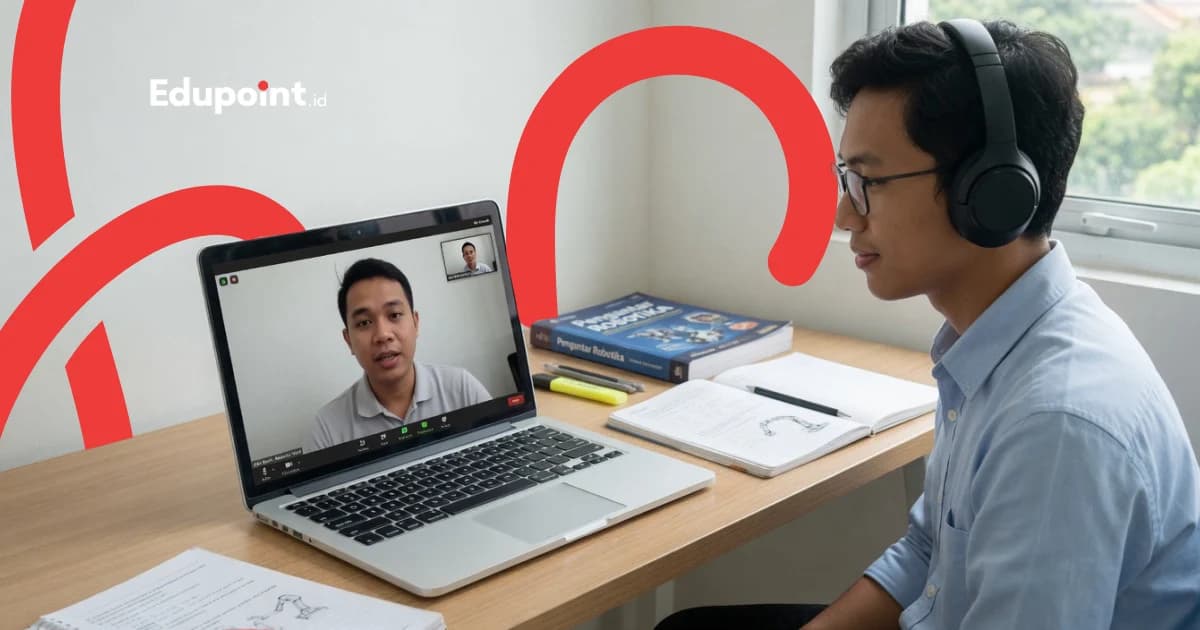
Online robotics tutoring is a private, one-on-one lesson held over a video call, where a child builds and programs a real robot at home while a teacher guides them live. The teacher opens the same structured module on a shared screen, tests circuits first in a simulator, then walks the child through fitting the components of their own kit via camera. The material progresses with age, from block robots and micro:bit for younger children to Arduino and Raspberry Pi for teenagers. A one-hour session starts from Rp126,000, about Rp102,000 per hour.
- A live teacher guides over video while the child holds and builds their own robot kit at home
- Co-learning modules the teacher and child open together on screen, with material reopenable anytime in the app
- Circuits tested first in the Tinkercad simulator before physical components are wired
- Recorded sessions can be replayed while the child practices independently
- Progress and photos of the child's project are reported to parents regularly
Online Robotics Learning Path by Age Stage
Every child starts online robotics from the device that fits their age, with a kit we recommend beforehand so the video session is productive from the start.
Block Robots & micro:bit (Ages 7-10)
Grades 1-4The child meets robots through motorized blocks and the micro:bit board, both cheap and safe to have at home. Programming uses colored blocks in the browser, so a child who does not yet read fluently can still make their robot blink and move while the teacher watches their screen.
Subjects:
micro:bit MakeCode in the browserMotorized blocksLight & button sensorsSimple motors
Focus Areas:
- Understanding input, process, and output
- Making a robot move with colored blocks
- Getting comfortable sharing a screen with the teacher
- Building fine motor skills while assembling
Arduino & Electronics (Ages 10-14)
Upper primary to junior highThe child enters real electronics with an Arduino starter kit on their desk. Before touching physical components, the teacher walks through testing the circuit in the Tinkercad simulator on a shared screen, so the child experiments boldly without fear of damage.
Subjects:
Arduino UnoBreadboard & circuitsBasic C++Tinkercad simulator
Focus Areas:
- Testing circuits in the simulator first
- Wiring components on a breadboard alone
- Writing a first C++ program
- Building an obstacle-avoiding robot
Raspberry Pi & Smart Robots (Ages 13-16)
Upper junior high to senior highTeenagers move up to Raspberry Pi with Python and add a camera to their robot. Because it is online, the teacher can share code live on screen, review the child's program line by line, and guide a smart-robot project from any distance.
Subjects:
Raspberry PiPython for roboticsCamera & basic computer visionIoT-based robots
Focus Areas:
- Python programming for hardware
- Live code review on a shared screen
- Internet-connected robots
- Independent smart-robot projects
Competition & Autonomous Robots (Ages 14-18)
Senior high and the contest trackThe child prepares contest machines like the line follower and sumo robot with a competition mentor over video. The teacher reviews the child's recorded test runs, analyzes where the robot wobbles, then guides tuning and strategy ahead of contest day.
Subjects:
Line follower & sumo robotBasic PID controlTest-run recording analysisWRO & FIRST LEGO League strategy
Focus Areas:
- Stabilizing robots through recording review
- Autonomous mission logic
- Managing independent practice time
- Preparing for national competitions
Online Robotics Tutoring Curriculum
Four robotics pillars learned together within every project, guided live through modules opened on a shared screen.
The teacher adjusts each pillar's depth to the child's age and platform. Younger children spend more time assembling, while teenagers dive deeper into code and control.
Electronics Basics
A safe foundation in electricity, learned while assembling one's own kit and tested first in a simulator before physical components are powered.
- Components: resistors, LEDs, sensors
- Reading a breadboard circuit
- Voltage, current, and ground
- Testing circuits in Tinkercad
Microcontroller Programming
The robot's brain gets programmed one stage at a time, starting with colored blocks, advancing to Arduino C++, and finally Python, with code reviewed live on a shared screen.
- Block coding on micro:bit
- Arduino C++ program structure
- Loops and conditions for robots
- Introduction to Python on Raspberry Pi
Sensors & Actuators
Robots learn to sense the world and respond. The teacher guides the child to read sensor values via camera and set their own thresholds.
- Distance, line, and light sensors
- Calibrating sensor values
- DC, servo, and stepper motors
- Motor drivers and speed control
Mechanics & Robot Projects
The child designs the chassis and moving parts, then assembles a complete robot presented to the camera during a showcase session.
- Chassis, wheels, and gears
- Robot arm and gripper
- Building a robot from scratch at home
- Showcasing the project over video
Who It Is For
Which Children Suit Online Robotics Tutoring
Children in Cities Without a Robotics Class
Many areas have no robotics class. Online tutoring brings engineering teachers from leading campuses straight to the child's home, with no long journey needed.
Recommended:
micro:bit or Arduino track with a kit at homeLive teacher guidance over video
Families With Packed Schedules
Busy parents and children with many activities benefit from lessons taken at home. Schedules are set within the 6 a.m. to 11 p.m. window, following the family's rhythm.
Recommended:
Flexible scheduling within 06.00-23.00Recorded sessions to revisit when free
Homeschoolers Wanting a Serious STEM Track
Homeschooling families seeking a structured robotics experience find a staged curriculum complete with modules and reports, all without leaving home.
Recommended:
Staged STEM curriculum at homePhoto progress reports for a portfolio
Aspiring Robot Competitors
Teenagers aiming to compete in robotics contests can train with a competition mentor over video, review recorded test runs, and tune their robot's strategy from anywhere.
Recommended:
Competition mentor through online sessionsPreparation for WRO and FIRST LEGO League
Featured
The EduPoint Learning System: Co-Learning Modules That Keep Online Robotics on Track
This is the heart of our online robotics tutoring. Teacher and child open one shared module on the screen, every session is recorded, and progress is tracked neatly so parents know exactly what has been mastered.
Report Features
Modules Opened Together on Screen
Teacher and child read the same robotics module in real time, so nothing is left behind even when learning from different cities.
Sessions Recorded for Replay
Every session is saved, so the child can revisit an assembly explanation while practicing independently later.
Material Reopenable in the App
More than a thousand active modules live in the EduPoint app, ready to reopen whenever the child wants to continue their project.
Photo Progress Reports to Parents
Parents get periodic updates complete with photos of the robot their child is building, so progress feels real.
Sample Progress Report
Rangga (Grade 7)
Arduino Track • This semester
78%
Overall Progress
Sessions Completed
12 of 16
Next Milestone
A line-follower robot that tracks the path smoothly
4 sessions to go
Electronics Basics
On Track82/90
Now reads breadboard circuits fluently and understands ground.
Arduino Programming
Improving74/85
First C++ code runs, now practicing loops and conditions.
Sensors & Calibration
Needs Attention68/80
Needs practice setting line-sensor thresholds under different lighting.
Robot Project
On Track88/90
Obstacle-avoiding robot assembled and moving steadily.
From Guiding Thousands of Online Sessions
Five Hurdles of Learning Robotics Online and How Our Teachers Handle Them
Learning robotics through a screen has its own challenges, from holding focus to making sure the child's hands are right while assembling. These are the obstacles we meet most often and how we address them.
The child struggles to focus with many distractions on the screen
Why it happens
Learning from home makes attention drift easily to another tab or a notification. A child can be present physically while the mind wanders.
How we fix it
The teacher breaks the session into short, concrete building challenges, so the child's hands are always busy with real components and focus stays anchored to the robot being built.
The teacher cannot directly touch a wire the child misconnected
Why it happens
Through a screen the teacher cannot physically touch the child's circuit, so a wrong connection is sometimes hard to see on camera.
How we fix it
The teacher asks the child to bring the camera close to the breadboard and guides them tracing each path one by one, building a self-check habit that serves the child for life.
The kit at home is not ready when the session starts
Why it happens
Without the right kit, a video session can be wasted searching for components, and the child's enthusiasm fades.
How we fix it
Before lessons begin, we recommend a kit list matched to the child's track with a clear price range, and test circuits in the simulator while physical components are incomplete.
The internet stutters during an important explanation
Why it happens
An unstable signal can cut off the moment the teacher is explaining a tricky assembly step.
How we fix it
Because every session is recorded, the child can replay the missed part, and the teacher always summarizes key steps in the module saved in the app.
The child depends too much on waiting for instructions
Why it happens
Some children wait to be told each step and hesitate to try alone, yet robotics grows from the courage to experiment.
How we fix it
The teacher deliberately gives the child room to guess and try first, then reviews the result together, so the child grows used to solving robot problems on their own.
Each hurdle actually forges the child into a careful, independent builder, a valuable foundation for a future in engineering.
Why Us
Six Reasons Parents Choose EduPoint Online Robotics Tutoring
A private format with a live teacher and guided modules delivers the full experience of building robots, straight to the child's desk at home.
A Live Teacher, Not a One-Way Video
The child is guided by a real teacher who answers questions on the spot, something a passive, watch-only video class cannot offer.
Building Their Own Kit at Home
The child holds their own sensors, motors, and circuit boards, guided by the teacher via camera step by step until the robot comes alive.
No Distance Limits
Top teachers from leading campuses can reach a child in any city, including areas without a local robotics class.
Safely Tested in a Simulator First
Circuits are tried in Tinkercad before physical components are powered, so the child experiments boldly without fear of damage.
Savings With No Transport Cost
Because the teacher joins over screen, families save time and travel money, and schedules fit the rhythm of the day more easily.
Progress Recorded and Reported
Sessions are recorded, modules are saved in the app, and photo reports assure parents the child is truly learning to build robots.
Selected Online Robotics Teachers
Our online robotics teachers are top students and alumni of electrical engineering, mechatronics, and informatics at leading campuses, used to building robots and patient in guiding children through a screen.
Tutor Qualifications
- Students and alumni of Computer Engineering, Informatics, Electrical Engineering, and Mechatronics from leading campuses
- Experienced in building and programming robots, some active in campus robotics clubs or competitions
- Skilled at guiding assembly via camera and sharing their screen clearly
- Used to explaining electronics and programming in child-friendly language
Charlotte C.
Robotics and Artificial Intelligence Engineering, Universitas Airlangga
Robots from sensor to code“Charlotte, who studied robotics and AI engineering at Airlangga, invites children to see a robot as a blend of sensor, code, and motion they can build themselves, guided step by step through the screen.”
Della D.
Mechatronics Engineering Education, Universitas Negeri Yogyakarta
Uniting mechanics and electronics“Della, who took Mechatronics Engineering Education at UNY, is used to guiding children from any city to assemble robots stage by stage over camera until they truly work.”
Qois Q.
Electrical Engineering, Institut Teknologi Sepuluh Nopember
Starting from the basic circuit“Grounded in Electrical Engineering from ITS, Qois likes to test circuits in a simulator with children first so they grasp how current flows before touching any physical components.”
Andria S.
Computer Engineering, Universitas Brawijaya
Programming the robot's brain“Andria, studying Computer Engineering at Universitas Brawijaya, likes to walk through a child's code live on a shared screen, explaining how a microcontroller reads its sensors and then decides what to do.”

Reky R.
Instrumentation Electronics, Politeknik Teknologi Nuklir Indonesia
Sensors and precise calibration“A habit of precision from Instrumentation Electronics at Politeknik Teknologi Nuklir carries over as Reky patiently guides children to read and fine-tune their robot sensors over camera.”

Hafis H.
Electronics Engineering Education, Universitas Negeri Yogyakarta
Electronics for beginners“An educator in the making from Electronics Engineering Education at UNY, Hafis breaks tricky electronics into small steps that children can follow easily from their screen.”
Testimonials
What Parents Say About Online Robotics Tutoring
From families in small towns to children with packed schedules, here are their stories of building robots from home.
Our town is small and simply has no robotics class. Through online lessons, the teacher first tried the circuit in a simulator, then walked my child through building the kit we had bought. To our surprise, it all ran smoothly.
Mr. Tutur P.
Parent of a grade 8 student • Balikpapan
My child's schedule is very packed. Since the teacher joins over video, we can set evening sessions after other activities finish. The obstacle-avoiding robot they built now sits on the study desk.
Mrs. Delia R.
Parent of a grade 5 student • Depok
What I love is that every session is recorded. My child often replays the tricky assembly parts while practicing alone, so they truly understand instead of just following along.
Mrs. Yunar R.
Parent of a grade 6 student • Surabaya
We homeschool and were looking for a serious STEM track. The modules are tidy, with photo reports each period, so I can build my child's robotics portfolio. The electronics teacher explains patiently through the screen.
Mrs. Melia W.
Parent of a homeschooled child • Semarang
My teenager, 14, started on Arduino and now builds with Raspberry Pi. Since it runs online, the teacher can review the Python code live on screen. Their robot now carries a camera and can chase a ball.
Mrs. Meira H.
Parent of a grade 9 student • Tangerang
Our child trained for a robotics contest through online sessions. The teacher reviewed the line-follower test recordings, showed where the robot wobbled, then guided the tuning. In the end they won at the city level.
Mr. Nurul I.
Parent of a grade 10 student • Jogja
Online Robotics Tutoring Cost
The cost of online robotics tutoring is transparent, starting from an hourly rate that is the same across Indonesia. Sessions of building and programming robots run 60, 90, or 120 minutes; parents freely arrange anywhere from 4 to 28 meetings each month, and the full total appears clearly at registration.
Starting from
Rp 102.000 / hour
Final price is set at registration.
This is the lowest hourly rate, derived from the 28-session monthly plan at 120 minutes per session. Per-session prices (60, 90, or 120 minutes) appear in the format options above.
Register & Get a QuoteFlexible payment — QRIS, Virtual Account, Alfamart, Indomaret, transfer & e-wallets.
No transport cost since the teacher joins over screen; changing teachers carries no fee and no limit on how often.
Online Robotics Tutoring Availability
Online Tutoring
Online WorldwideOnline robotics tutoring is available for children across Indonesia and Indonesian families abroad, with no distance limit from the teacher.
- A live teacher guides kit assembly via camera
- Circuits tested first in the Tinkercad simulator
- Sessions recorded and modules saved in the app
Student Achievements
A Child's Journey Learning Robotics Through the Screen
Real progress stories from EduPoint families who learned robotics online.
Success
Learning Robotics From a Town With No Class
Bima A.
Grade 8, Balikpapan
Challenge
Bima wanted to learn robotics, but his town had no class and his parents did not know where to start.
Solution
The online teacher recommended an Arduino starter kit, tested circuits in a simulator with Bima, then guided him to assemble step by step over camera.
Journey
Month 1: Lit an LED and ran a first C++ program
Month 3: First obstacle-avoiding robot moving steadily
Month 6: A line-follower robot tracking the path smoothly
Two working robots in 6 months, learning from home
“We never thought a child could learn robotics this seriously without leaving town. His study desk is now full of robot components.”
— Bima's parent
Success
Evening Sessions That Fit a Packed Schedule
Kanaya S.
Grade 5, Depok
Challenge
Kanaya had many activities after school, making it hard to add a lesson that required travel.
Solution
Online sessions were scheduled in the evening within study hours, and recorded sessions helped Kanaya revisit assembly material when free.
Journey
Month 1: Made a micro:bit show animation and sound
Month 2: First motorized block robot that could walk
Month 4: A simple robot with a distance sensor
Three robot projects finished without disrupting the family schedule
“No need to drop off and pick up, and the child still gets a full robotics experience. Our time is far more relaxed.”
— Kanaya's parent
Success
Training for a Contest With Recording Review
Oky R.
Grade 10, Jogja
Challenge
Oky was already skilled at building robots, but did not know competition standards and had no mentor in his city.
Solution
A competition mentor guided him over video, reviewed the line-follower test recordings, then guided tuning and strategy per the contest rules.
Journey
Month 1: Redesigned the robot to meet contest rules
Month 3: Applied PID control so the robot stayed stable on turns
Month 5: Won a city-level robotics contest
City-level robotics champion in 5 months
“Guidance through recordings turned out to be very detailed. We never expected online training could carry him onto the stage to receive a trophy.”
— Oky's parent
FAQ
Before Registering for Online Robotics Tutoring, Here Are Parents' Answers
On how sessions run, kit needs, and safety while assembling, we help explain.
A session takes place over a video call, whether Zoom, Google Meet, or another platform the family prefers. The teacher opens the same robotics module on screen with the child, tests circuits in the Tinkercad simulator, then guides the child to assemble their own kit at home via camera. Every module and recording is kept inside the EduPoint app so families can replay them. We use common video platforms and do not claim to have our own video system.
Online robotics tutoring is charged per hour and is the same across Indonesia: from Rp102,000 per hour. By duration, a 60-minute session works out to Rp126,000 per hour, while a 120-minute or monthly package brings it down to Rp102,000 per hour. A longer session makes each hour cheaper. Each month parents arrange between 4 and 28 meetings, and the complete total appears automatically at registration.
For online lessons, we recommend a kit matched to the child's learning track with a clear price range before sessions begin. A cheap micro:bit board is enough for beginners, while a single Arduino starter kit typically serves for many months. When physical components are not yet complete, the teacher can still have the child practice in the free Tinkercad simulator.
From age 7. Kids between 7 and 10 start with motorized blocks and a micro:bit programmed using colored blocks in the browser. Arduino and electronics suit ages 10 and above, while Raspberry Pi and contest robots fit teenagers of 13 or older.
Both are effective with their own strengths. Online lessons stand out by reaching engineering teachers from leading campuses with no distance limit, sessions can be recorded for replay, and schedules are more flexible with the family's rhythm. The teacher tests circuits in a simulator first, then guides the child to assemble the kit over camera, so the child still holds real components with their own hands.
Guides & Tips
Supporting articles to help you decide and maximize learning outcomes.
Getting to Know Robotics Platforms for Beginners From Simulator to Raspberry Pi
A map of six starting points in order, from trying circuits in a free simulator to assembling a first robot, so beginners pick a board that fits their age and goal without buying the wrong thing.
How to Choose a First Robotics Kit for Your Child
A practical guide for parents to shortlist a first robotics kit that fits a child's age, interests, and the family budget.
How to Choose the Right Robotics Class for Kids
Six steps to narrow down a kids' robotics class, from matching age to platform through to testing it with a tryout session, with 2026 market cost ranges to guide you.
How to Introduce Robotics to Elementary School Children, Step by Step
A calm guide for parents who want to open the world of robotics for their elementary schooler from scratch, without needing to be tech experts first.
Learning Arduino for Beginners: A Step-by-Step Start
A clear Arduino learning map for children and parents new to robotics, from lighting a single lamp to turning a first wheel.
Related Online Programs
Other online programs aligned with a child's interest in engineering and logic.
Start Your Child's Online Robotics Tutoring From Home
Tell us your child's age and interests; our team will find a robotics teacher who fits and help assemble the right kit, so the child can begin building robots through the screen.
Free consultation with no commitmentEngineering and informatics teachers from leading campusesfree teacher change whenever needed