#1 Digital Painting Tutoring
Private Digital Painting Lessons, from Sketch to Finished Art
One student, one illustrator tutor, learning to paint in Procreate, Photoshop, or Clip Studio. The tutor comes to your home or teaches online, with guidance that follows your style and pace. Start with one 60-minute session at Rp111,000.


160+
tutors
1,200+
students
4.9
rating · 1,083 reviews
60+
cities
What is Digital Painting Tutoring?
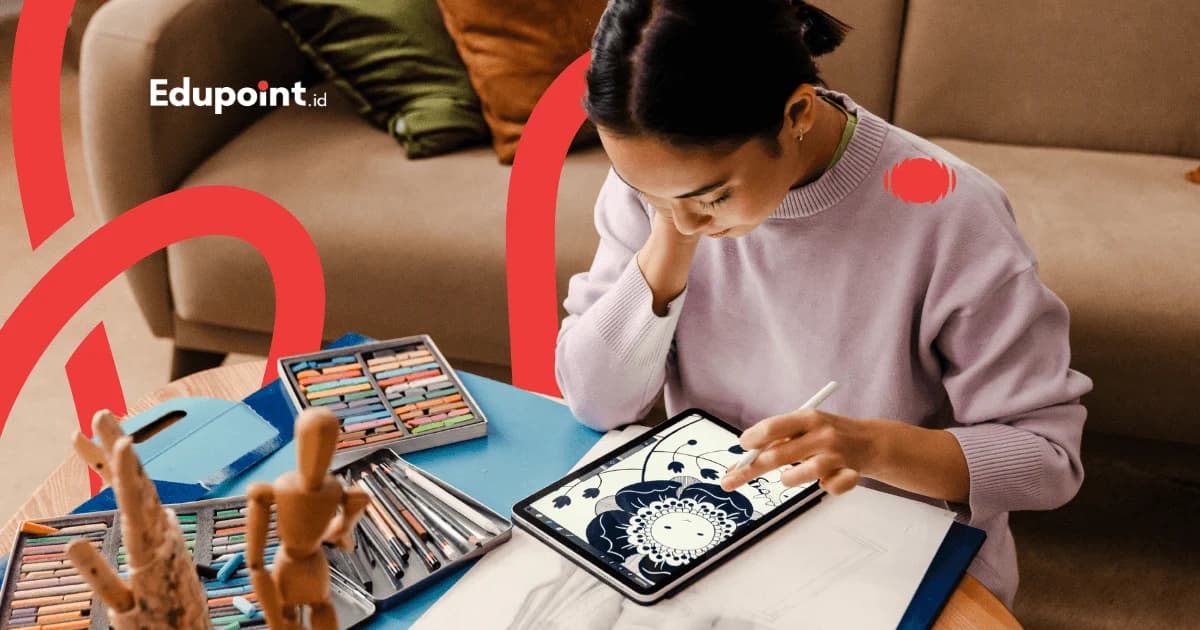
Digital painting tutoring is private one-on-one guidance for painting and creating illustrations using software such as Procreate, Adobe Photoshop, Clip Studio Paint, or Krita, with a pen tablet or iPad. Students learn to use layers, digital brushes, and light control to build a piece stage by stage. Lessons happen at your home or over a video call, and the 60-minute rate is Rp111,000.
- One student, one illustrator tutor, with material that follows your style and goals
- Learn in industry software: Procreate, Photoshop, Clip Studio
- Master layers, digital brushes, color, and lighting
- Guidance for building an illustration and concept art portfolio
- Regular progress reports with work that keeps improving
Services
In-Person, Online, or Small Group: Shape Your Digital Painting Lessons
The tutor sits beside your digital canvas, guides via screen share, or you practice with fellow art lovers. Match it to your rhythm.
In-Person Digital Painting Lessons
The tutor comes to your home and guides directly as you paint on your own tablet.
Rp 140.000/session
90 minutes
- Tutor comes to your home
- Direct corrections on your own canvas
- Software and brush setup help
- Flexible schedule
Online Digital Painting Lessons
Learn via Zoom with screen share; the tutor watches your painting process live.
Rp 111.000/session
60 minutes
- Two-way screen share, the tutor follows your process
- Recorded sessions to replay while practicing
- No transport cost
- Available for students abroad
Small Group Digital Painting Lessons
Learn with 2-3 friends who share the hobby, seeing each other's work and growing together.
Rp 105.000/session
90 minutes
- 2-3 students per group
- Constructive art critique sessions
- Joining as a pair or trio lowers the per-person rate, calculated automatically in the form
- A creative community feel
Digital Painting Learning Path
From getting to know the digital canvas to building your own style and portfolio, moving up when you are ready.
Digital Basics (Beginner)
Never used a tabletGetting to know the software interface, pen tablet, and the concept of layers. Students make their first digital sketch and get used to pen pressure and basic brushes.
Subjects:
Intro to Procreate or PhotoshopPen tablet and pressure controlLayers and undo conceptFirst digital sketch
Focus Areas:
- Comfortable drawing on a tablet
- Understanding the layer system
- Basic brushes: hard and soft round
- Clean sketch into lineart
Color & Lighting
Intermediate stageStudents enter the heart of digital painting: color theory, value, and light. They learn to color on separate layers and use blending modes to give a piece volume.
Subjects:
Color theory and valueMultiply and Overlay layersShading and highlightsColor picking and harmony
Focus Areas:
- Coloring without 'muddy' colors
- Reading light and dark
- Controlled blending
- Mood through light
Character & Environment Illustration
Advanced stageStudents bring their skills together into a full illustration: character design, environment backgrounds, and composition that tells a story. They begin building a visual signature.
Subjects:
Character designBackground and environmentComposition and focusBasic perspective
Focus Areas:
- A full illustration with a story
- Characters that feel alive
- Backgrounds that support the subject
- Finding a personal style
Concept Art & Portfolio
Toward professionalStudents work on themed concept art and assemble a tidy portfolio. Ideal for those aiming for an illustrator, comic, or game art path.
Subjects:
Themed concept artStyle exploration and mood boardsPortfolio assemblyProfessional workflow
Focus Areas:
- A portfolio ready to show
- Style consistency
- Themed, focused work
- Preparing an art career path
Digital Painting Curriculum
Four pillars learned while creating, not theory to memorize.
The tutor adjusts each pillar's depth to the student's goal. Hobbyists focus on the joy of creating; aspiring professionals are guided toward portfolio and concept art.
Software & Hardware
Master the tools of the trade: software, pen tablet, brushes, and the digital canvas used in the industry.
- Procreate, Photoshop, or Clip Studio
- Canvas, DPI, and resolution setup
- Brush and palette management
- Using a pen tablet or iPad
Digital Sketch & Lineart
The foundation of form: gesture, sketch, and clean lines with the layer system.
- Rough sketches and thumbnails
- Lineart on a separate layer
- Pressure control and line stabilization
- Basic anatomy and proportion
Color & Light
The soul of a digital painting: value, color, and lighting that build mood.
- Color theory and value
- Blending modes and clipping masks
- Shading, highlights, and ambient light
- Building mood and atmosphere
Illustration & Portfolio
Bringing it all together into complete work and a portfolio that shows a signature style.
- Composition and storytelling
- Character and environment design
- Finishing and exporting work
- Portfolio assembly
Who It Is For
Who Digital Painting Lessons Are For
Hobbyists Ready to Get Serious
Those who already love doodling in a notebook or on their phone and want to step up to clean, satisfying digital work worth sharing.
Recommended:
Digital basics then coloring pathIllustration projects to taste
Teens Who Love Anime and Comics
Teens who enjoy drawing anime, manga, or webtoon characters and want to learn to create them digitally with polish.
Recommended:
Clip Studio Paint for comicsCharacter and panel design
Aspiring Illustrators & Concept Artists
Those aiming for a professional path in illustration, game art, or publishing who need a strong portfolio.
Recommended:
Concept art and portfolio pathTutors with industry experience
Creatives Who Want an Extra Skill
Designers, content creators, or teachers who want to make their own illustrations for content without relying on stock images.
Recommended:
Applied illustration pathFlexible scheduling for busy people
From Guiding Hundreds of Pieces
Five Digital Painting Traps and How Tutors Solve Them
Software makes things easier, but there are classic mistakes that leave work feeling unfinished. Here are the ones we see most and how we resolve them.
Colors turn 'muddy' when blended
Why it happens
Beginners often mix too many opposing colors directly without watching value, so the result becomes dull and murky.
How we fix it
The tutor has you practice with value (black and white) first and limit the palette, so colors stay clean when combined.
Rushing to smooth details before the form is right
Why it happens
The urge to render details strikes while the sketch, anatomy, or composition is still off, so time is wasted.
How we fix it
The tutor instills a work order: lock silhouette and value first, then detail. The piece is built on a correct foundation.
Relying on 'magic' brushes without basic control
Why it happens
Beginners often collect fancy brushes hoping for instant results while not yet mastering opacity, flow, and pressure.
How we fix it
The tutor starts with hard and soft round brushes. Once basic control is solid, special brushes are used with clear intent.
Great on screen, ruined when shared or printed
Why it happens
The canvas is made too small, the color profile is wrong, or export is careless, so the work breaks up or shifts color on other devices.
How we fix it
The tutor teaches proper canvas, resolution, and export setup from the start, so the work stays sharp wherever it is shown.
Stuck imitating, no style of one's own
Why it happens
Learning only by following step-by-step tutorials makes work feel like a copy, and a personal signature never emerges.
How we fix it
The tutor balances tutorials with focused studies and exploration, building the visual library that becomes the basis of a personal style.
Each of these traps is a normal part of the process. Students who get through them grow into digital artists who understand the fundamentals and can create on their own, well beyond pushing filter buttons.
Why Us
Five Reasons to Choose Digital Painting Lessons at EduPoint
Private guidance from illustrators who correct right on your canvas, then shape every stroke into work you can be proud of.
One Student One Tutor
The tutor focuses on your work, correcting directly on your digital canvas, with no waiting in line like group classes.
Active Illustrator Tutors
Taught by students and graduates of design, fine arts, and animation who genuinely create digital art.
Industry Software from Day One
Learn in Procreate, Photoshop, and Clip Studio, the same tools professional illustrators use.
Material That Follows Your Goal
Hobbyists are guided toward the joy of creating; aspiring pros toward portfolio and concept art.
Progress Reports Through Artwork
Growth is clearly visible through work that keeps improving from session to session.
Selected Digital Painting Tutors
Our tutors are illustrators and students and graduates of Visual Communication Design, Fine Arts, and Animation who actively create digital art and patiently guide beginners.
Tutor Qualifications
- Students and graduates of Visual Communication Design, Fine Arts, Animation, and Illustration from leading art schools
- Active digital creators, many freelance illustrators with real portfolios
- Passed technical skills and teaching assessments
- Used to teaching Procreate, Photoshop, and Clip Studio in beginner-friendly language
Dendi D.
Fine Arts, Institut Seni Budaya Indonesia Bandung
Form foundations before color“With a Fine Arts background from Institut Seni Budaya Indonesia Bandung, Dendi emphasizes a strong foundation of form and composition before students move into digital coloring.”
Septiana S.
Art Education, Universitas Negeri Yogyakarta
Step-by-step from the sketch“Septiana studied Art Education at Universitas Negeri Yogyakarta and is used to teaching, so she guides students through digital painting one step at a time, starting from the sketch.”
Ecy D.
Textile Craft, Institut Kesenian Jakarta
A feel for color and pattern“Her Textile Craft background at Institut Kesenian Jakarta gives Ecy a sharp sense of color and pattern, which she passes on as she helps students build palettes on the digital canvas.”
Natasya N.
Art Studies, UIN Walisongo
Balance and visual detail“Natasya comes from Art Studies at UIN Walisongo and loves getting students to notice visual balance, from layout down to the small details, in every digital piece they make.”
Testimonials
What Students Say About Digital Painting Lessons
From first-time pen tablet users to those who now have an illustration portfolio, here are their stories.
I had doodled on my phone for ages but kept hitting a wall. After lessons and understanding layers and value, my paintings improved dramatically. The tutor corrected things right on my canvas, so I understood my mistakes.
Widya U.
Hobbyist, age 24 • Jakarta
I love drawing anime but was lost on digital coloring. The tutor taught Clip Studio from scratch, and now I can make complete character illustrations with shading.
Azmi A.
High school student • Bandung
It was online but felt truly private. The tutor saw my screen directly and showed me the right way to blend so my colors no longer turned muddy.
Ghaitsa H.
Junior high student • Surabaya
I am a designer who wanted to illustrate for my own content. The material was on point and hands-on. Now I no longer depend on stock images.
Manggala S.
Creative worker • Depok
I thought I had to be good at manual drawing first. It turned out the tutor guided me from the most basic sketch on the tablet, so a total beginner like me could still keep up.
Dhea A.
Hobbyist, age 19 • Tangerang
My tutor is an actual illustrator, so the feedback connects to the real work world. My portfolio is now tidier and has a clear style.
Hana A.
Design student • Jogja
My quiet child turned out to have a talent for drawing. Through digital painting lessons she found an outlet to express herself and grew more confident showing her work.
Mrs. Yeni Y.
Parent of a junior high student • Semarang
I bought an iPad for my child but was unsure how to guide it. The tutor helped from Procreate setup to a regular practice routine. Now my child's screen time is productive.
Mr. Abdurrahman A.
Parent of a high school student • Bekasi
Digital Painting Lesson Cost
Digital painting fees are counted per hour, plain and simple. Sessions of 60, 90, or 120 minutes paired with a monthly schedule of 4 to 28 meetings follow your creative stamina, with everything totaled openly at registration.
Starting from
Rp 90.000 / hour
Final price is set at registration.
This is the lowest hourly rate, derived from the 28-session monthly plan at 120 minutes per session. Per-session prices (60, 90, or 120 minutes) appear in the format options above.
Flexible payment — QRIS, Virtual Account, Alfamart, Indomaret, transfer & e-wallets.
Prices may adjust to the student's age, software, location, and lesson format. We help recommend hardware and software to match your learning goals. Contact us for an exact quote.
Digital Painting Lesson Availability
Online Tutoring
Online WorldwideOnline digital painting lessons are available for students across Indonesia and abroad.
- Two-way screen share, the tutor follows your painting process
- Sessions recorded and replayable
- No transport cost
In-Person Tutoring
All CitiesIn-person digital painting lessons, with the tutor coming to your home in the following cities.
Jakarta40+ tutorsBandung24+ tutorsSurabaya20+ tutorsDepok14+ tutorsTangerang13+ tutorsBekasi12+ tutorsJogja15+ tutorsSemarang10+ tutors
+4 more citiesStudent Achievements
Students' Digital Painting Journeys
Real progress stories from EduPoint families.
Success
From Phone Doodles to Colored Illustrations
Zaskia N.
High school student, Jakarta
Challenge
Zaskia often drew on her phone, but the results felt flat and she did not know how to color properly.
Solution
The tutor introduced Procreate and the layer system, then guided Zaskia to separate sketch, color, and light.
Journey
Month 1: Comfortable drawing on a tablet and understanding layers
Month 3: First colored character illustration with shading
Month 6: Made an illustration series and shared it on social media
From flat doodles to a colored illustration series in 6 months
“Now she draws with real purpose. Her lines have direction, her work is tidy, and she is proud to show it.”
— Zaskia's parent
Success
Finding a Style Through Concept Art
Nandito R.
University student, Bandung
Challenge
Nandito could already draw, but his work looked like it copied tutorials and lacked a signature.
Solution
The tutor steered Nandito toward focused studies and concept art exploration, building his own visual library.
Journey
Month 2: Mastered consistent value and lighting
Month 5: Finished his first themed concept art
Month 9: A portfolio with a recognizable personal style
Built a concept art portfolio with his own style
“His work now has a distinct feel. People can guess he made it.”
— Nandito
Success
A Total Beginner Who Now Dares to Create
Shireen N.
Junior high student, Jogja
Challenge
Shireen was interested in digital art but felt insecure, believing she had no talent and afraid of mistakes.
Solution
The private format gave Shireen a safe space to experiment. The tutor celebrated each small step and used the freedom of layers to ease her fear of mistakes.
Journey
Month 1: First digital sketch without fear of mistakes
Month 4: A simple illustration complete with color
Month 8: Displayed her work in an online class exhibition
Grew confident and creates digital art regularly
“The biggest change is her confidence. She now believes she can do it.”
— Shireen's parent
FAQ
Before Registering for Digital Painting Lessons, Here Are the Answers
On hardware, software, and whether you need to draw by hand first, we help explain.
Complete Guide
Complete Guide to Digital Painting Lessons
Guides & Tips
Supporting articles to help you decide and maximize learning outcomes.
Digital Painting Basics for Beginners: The Foundations to Train First
A learning map from shape sketches to color layers, ordered so beginners know the right sequence from their very first session.
How to Choose a Digital Painting App for Beginners
A guide to weighing Procreate, Photoshop, Clip Studio Paint, and Krita by device, budget, and creative style, so your learning energy is not drained on the selection screen.
Related Programs
Other programs that might be suitable for you
Start Your First Digital Artwork with Digital Painting Lessons
Start with a casual chat: tell us your interest and device, and our team will find the software and illustrator tutor that fit best.
Free consultation, no commitmentIllustrator tutors and design graduatesswap tutors free at any time