Online Lessons: Live Editing from Home
Online Video Editing Tutoring: Learn to Edit Live with a Real Editor
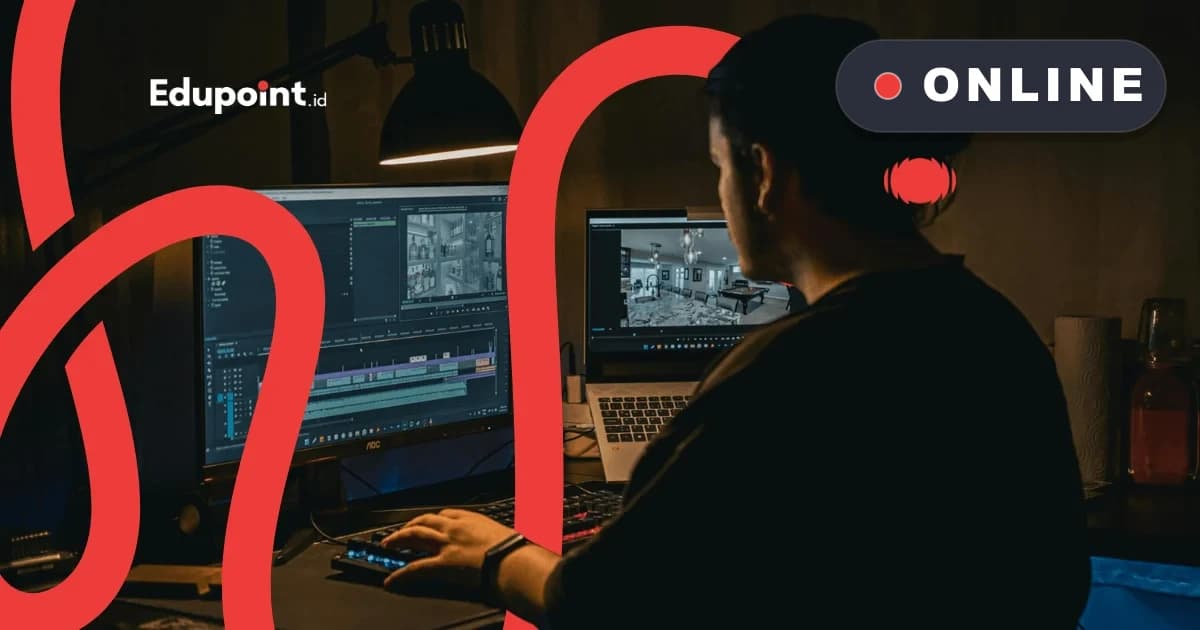
Online video editing tutoring is a private live lesson, one teacher to one student, over Zoom or Google Meet, where a real editor watches the timeline you are building and corrects it on the spot. Structured modules open together on screen, every session is recorded to replay, and your progress is reported to parents. Top teachers from film and multimedia campuses can guide a student in any city without anyone leaving home.



280+
tutors
3,100+
students
4.9
rating · 984 reviews
60+
cities
What is Online Video Editing Tutoring?
is a private online lesson where an editor teacher accompanies one student directly over a video call. During each session, the pair pull up one identical module on their screens, cut clips side by side, and the teacher flags a mistimed edit the instant it happens. Because everything is captured, the recording lives inside the EduPoint app for the student to revisit, while every meeting's progress is logged and reported. Learning over the screen means a hand-picked editor from a leading campus can coach a student in any region.
- Live one teacher one student, timeline corrected on the spot
- CapCut, Premiere, and DaVinci modules opened together on screen
- Sessions recorded and replayable through the EduPoint app
- Every meeting's progress logged and reported to parents
- Editors from other cities stay within reach, with no transport cost
Online Video Editing Learning Stages
From never touching a timeline to being ready to handle your own project
Starter: Editing from a Phone
CapCut through a shared screenThe teacher guides the first steps in CapCut through screen sharing: trimming clips, adding text, music, and transitions for short content. A good fit for junior and senior high students who are just beginning.
Subjects:
CapCut basics on phone and desktopCutting, joining, and pacing clipsText, auto-captions, and stickersMatching music to the visual rhythm
Focus Areas:
- Finishing one whole video in the first session
- Reading the timeline with the teacher's on-screen guidance
- Building a steady editing habit
- Learning from the session recording during solo practice
Intermediate: Structured Editor
Adobe Premiere ProMoving up to Premiere Pro to manage multi-track, audio, and longer projects. The teacher shares the screen to walk through each editing decision with the student.
Subjects:
Premiere Pro workflow and project setupMulti-track and nested sequencesAudio leveling and noise cleanupKeyframes, transitions, and basic effects
Focus Areas:
- Assembling long videos cleanly
- Working on school videos, vlogs, or a family business profile
- Managing files and proxy workflow for limited devices
- Exporting to fit the target platform
Advanced: Color and Motion
DaVinci Resolve and basic motionGoing deeper into color grading and light motion graphics so the result feels more mature. The teacher guides reading scopes and nodes directly on the student's screen.
Subjects:
Color correction and grading in DaVinci ResolveNode-based workflowBasic motion graphics and title animationBuilding a cinematic color mood
Focus Areas:
- Matching color across shots
- Assembling an advanced personal showreel
- Preparing a more varied portfolio
- Testing a sense of motion and timing
Material Opened Together on Screen
A modular curriculum: teacher and student open the same module, so no step is skipped when learning online
CapCut: Editing Foundations
A free, beginner-friendly tool, guided by the teacher through a shared screen
- Cutting, joining, and adjusting clip speed
- Auto-captions and moving text
- Templates, transitions, and popular effects
- Matching music to the visual beat
Adobe Premiere Pro
An editor's working standard, traced step by step through screen sharing
- Setting up projects, sequences, and the timeline
- Multi-track and multi-cam editing
- Keyframes, transitions, and visual effects
- Exporting and rendering for each platform
DaVinci Resolve: Color
Production-grade color grading with a complete free version
- The difference between color correction and grading
- Node-based workflow
- Reading scopes and matching color
- Building the mood and feel of a shot
Clean Audio
Clear sound makes an online result feel far more polished
- Reducing noise and cleaning up audio
- Setting background music and ducking
- Adding sound effects in measure
- Balancing level and loudness
Storytelling Through Cuts
The teacher helps the student arrange cuts into a story that flows
- Building a hook, body, and closing
- Managing editing rhythm and pacing
- An efficient workflow from footage to export
- Tidying files and backing up projects
Who It Is For
This Online Video Editing Tutoring Suits...
Students in Smaller Towns
Junior and senior high students whose town has few editing teachers can now learn from an editor in another city through the screen
Recommended:
Starter CapCutLearning from session recordings
Teens with Packed Schedules
Those whose days are full and who need flexible lessons without time lost in traffic
Recommended:
Schedule that follows the familyRecorded sessions to replay
Aspiring Content Creators
Young people who want to polish social media content and need direct feedback on their edits
Recommended:
Starter CapCutIntermediate Premiere
Students and Serious Beginners
Those who want to build editing skill in a structured way until they have their own showreel
Recommended:
Intermediate PremiereAdvanced DaVinci
Online Learning Snags and How to Clear Them
What Often Stalls Learning to Edit Online, and How We Handle It
Learning video editing alone from tutorials tends to stall; online video editing tutoring guided by a live teacher closes these gaps
Watching endless tutorials while the timeline stays empty
Why it happens
A one-way recording cannot flag a missed cut, so small mistakes pile up unnoticed
How we fix it
In a live session, the teacher sees the timeline you are building through screen sharing and points out exactly what needs fixing
Unsure whether to start with CapCut or jump straight to Premiere
Why it happens
Too many software choices make beginners hop around and never fully master any of them
How we fix it
The teacher reads your learning goal in the first session, then arranges a sensible order so every stage connects
A modest connection and a laptop that struggles while editing
Why it happens
High-resolution footage demands a strong device, while an unstable network disrupts the session
How we fix it
The teacher shows the proxy workflow so heavy footage stays light to edit, and every session is recorded so any missed part can be replayed
Struggling to keep practice consistent after the session ends
Why it happens
Learning from home is easily crowded out by other activity, so a freshly grown skill fades fast
How we fix it
A regular schedule that follows the family's rhythm within 06:00 to 23:00, plus a progress note each meeting that keeps the learning direction clear
We meet each of these snags with direct guidance, not a promise of instant results. Progress still depends on regular practice, and the teacher makes sure the direction is right from the start.
Why Us
Why Online Video Editing Tutoring at EduPoint Feels Different
A recording you play alone is one thing; here a real editor teacher is present on screen, guiding the timeline with the student every session
An Editor Teacher Present Live on Screen
Sessions run one teacher to one student over Zoom or Google Meet. The teacher sees the timeline you are working on through screen sharing and corrects it on the spot, a world apart from a video class you simply play by yourself.
Co-Learning Modules Opened Together
On their shared screen, teacher and student pull up one identical structured module, so no editing step slips past. That material stays reopenable anytime in the EduPoint app while the student practices solo.
Sessions Recorded and Replayable
Every meeting is saved as a recording in the app. If a grading or transition technique did not land the first time, the student simply replays that part without asking from scratch.
Progress Logged and Reported
Each session's progress is logged and reported to parents, making it clear which skills are already handled and which still need work. Online learning stays fully visible.
The Best Teachers, No Distance Limit
Since everything runs through the screen, an editor drawn from a top film and multimedia campus can reach students no matter which city they live in. Families in the regions get the same quality of teacher.
Saving Time and Transport Cost
There is no back-and-forth travel, so learning time stays whole and transport cost drops out of the equation. The schedule also adapts to the family's rhythm within 06:00 to 23:00.
EduPoint Online Video Editing Teachers
Editors and graduates of film and multimedia campuses who guide students directly through the screen
Tutor Qualifications
- Backgrounds in film, multimedia, or visual communication design from leading campuses
- Used to handling real editing projects beyond the classroom
- Command of tools across CapCut, Premiere, and DaVinci
- Skilled at guiding through screen sharing and video calls
- Passed EduPoint's teaching methodology training
Herdi H.
Film and Television, IKJ Graduate School
Arranging cuts into a story“Through a shared screen, Herdi guides students to weave their cuts into a story that carries the viewer along, the heart of an editor's craft.”
Chin C.
Visual Communication Design, Universitas Komputer Indonesia
Editing tool basics“Chin shares the screen to guide students through the editing tools step by step, from trimming a clip to setting a transition.”
Laurent C.
3D Animation, UCSI University
Sense of motion and timing“With an animation background, Laurent helps students feel motion and timing through live sessions so the edit feels alive and easy to watch.”
Gray M.
Multimedia Engineering Technology, Telkom University
Audio and visual in sync“Gray trains students to align audio with visuals while reviewing the result on screen, because sound that fits makes a video feel far cleaner.”

Gary G.
Multimedia, Universitas Surabaya
Color and mood“Gary introduces color grading through screen sharing to build a mood, the finishing touch that leaves a video feeling more memorable.”

Ghina G.
Animation, Bina Nusantara University
Adding motion graphics“With an animation background, Ghina guides students to slip in simple motion graphics from afar, so a video looks more dynamic.”
Testimonials
Voices of Families Learning Editing Through the Screen
Stories from students and parents who took online video editing tutoring from home
Online Video Editing Tutoring Cost
One clear rate for a private live session, with no transport cost since everything runs through the screen
Starting from
Rp 116.000 / hour
Final price is set at registration.
This is the lowest hourly rate, derived from the 28-session monthly plan at 120 minutes per session. Per-session prices (60, 90, or 120 minutes) appear in the format options above.
Register & Get a QuoteFlexible payment — QRIS, Virtual Account, Alfamart, Indomaret, transfer & e-wallets.
The price already covers co-learning modules, session recordings, and progress reports. CapCut and DaVinci Resolve are free; Adobe Premiere Pro uses a separate subscription the teacher will guide you through. Your total package is calculated automatically in the registration form.
Online Video Editing Tutoring Reach
Online Tutoring
Online WorldwideLive online video editing tutoring over Zoom or Google Meet is open to students across Indonesia and to families living abroad. A chosen editor teacher appears on screen with no city limit.
- Live one teacher one student over Zoom or Google Meet
- Co-learning modules opened together on screen
- Session recordings stored in the EduPoint app
- A progress report each meeting for parents
Student Achievements
Learning Video Editing from a Screen at Home
Real achievements from EduPoint students
Success
From a Town with No Editing Teacher to Clean School Videos
Raka S.
Background
A senior high student in a small regency who could not find an editing teacher locally
4 months of online video editing tutoring from starter to intermediate
Now regularly edits school activity videos and handles a Premiere timeline on his own
“There is no editing course in my town. Over Zoom, the teacher could see my screen and fix a wrong cut right away. It felt like sitting side by side even though we were on different islands.”
Tutors:
Herdi H. (Storytelling through cuts)Chin C. (Premiere basics)
Success
A Packed Schedule Can Still Learn Regularly
Alika P.
Background
A teen with a full plate of school and extracurricular activities
5 months of online video editing tutoring with a flexible evening schedule
Has several clean short-form pieces and a firmer grasp of editing rhythm
“Because it is online, I can have lessons after evening prayer without wasting time on the road. Sessions are recorded, so when I forget a grading technique I just replay it while practicing.”
Tutors:
Gary G. (Color and mood)Gray M. (Clean audio)
Success
A Student Building a Showreel Through the Screen
Damar W.
Background
A university student who wanted to take up editing as an added skill
6 months of online video editing tutoring from intermediate to advanced
Assembled a showreel from several projects across genres to pursue freelance opportunities
“Learning DaVinci through screen sharing helped me understand the nodes one by one. The teacher patiently stayed with me until my footage color matched. My showreel is far more confident now.”
Tutors:
Laurent C. (Sense of motion)Ghina G. (Motion graphics)
FAQ
Questions About Online Video Editing Tutoring
The cost of online video editing tutoring is billed by the hour and follows the session length: from Rp142,000 an hour for 60 minutes, with a 90-minute option, down to Rp116,000 an hour on a 120-minute session or monthly package, the most economical rate. A monthly package can hold 4 to 28 sessions, and the registration form calculates your total automatically.
Your live sessions take place over Zoom or Google Meet, based on what the family finds easiest. Teacher and student share a screen and edit side by side. The structured modules and every recording sit inside the EduPoint app, ready to reopen whenever you need them. EduPoint runs no video-call system of its own, so you stay on a platform you already know.
Absolutely. Online video editing tutoring is built to start at zero. That first meeting usually dives right into beginner-friendly CapCut basics, guided by the teacher through the screen. Because every session is recorded, your child can replay any part they have not mastered while practicing at home.
It is effective, because the teacher guides directly through two-way screen sharing and can see the timeline the student is working on. Feedback comes on the spot, just like sitting side by side. Online learning even opens the door for students in the regions to study under top editors based in other cities, with distance no longer in the way.
For CapCut, a standard phone or laptop is enough. For Premiere Pro and DaVinci Resolve, the teacher will show the proxy workflow so heavy footage stays light to edit on a modest device. If the network stutters, the session recording makes sure no material is truly lost. Tell us about your device at registration so the teacher can prepare a fitting workflow.
Guides & Tips
Supporting articles to help you decide and maximize learning outcomes.
How to Learn Video Editing from Scratch for Beginners
A six-stage practice map, from organizing footage to the final export, using free software and a sensible timeline for beginners.
Video Editing Workflow for Beginners: The Order from Import to Export
One fixed working order for a single project, from arranging raw media, locking the picture, balancing sound and color, to delivering the file to its target platform.
Other Creative and Digital Programs
Other programs that might be suitable for you
Open Your Laptop, Turn On the Camera, Start Online Video Editing Tutoring!
Your first live session can run this week, guided by an editor teacher who steers the timeline right on your screen from any city