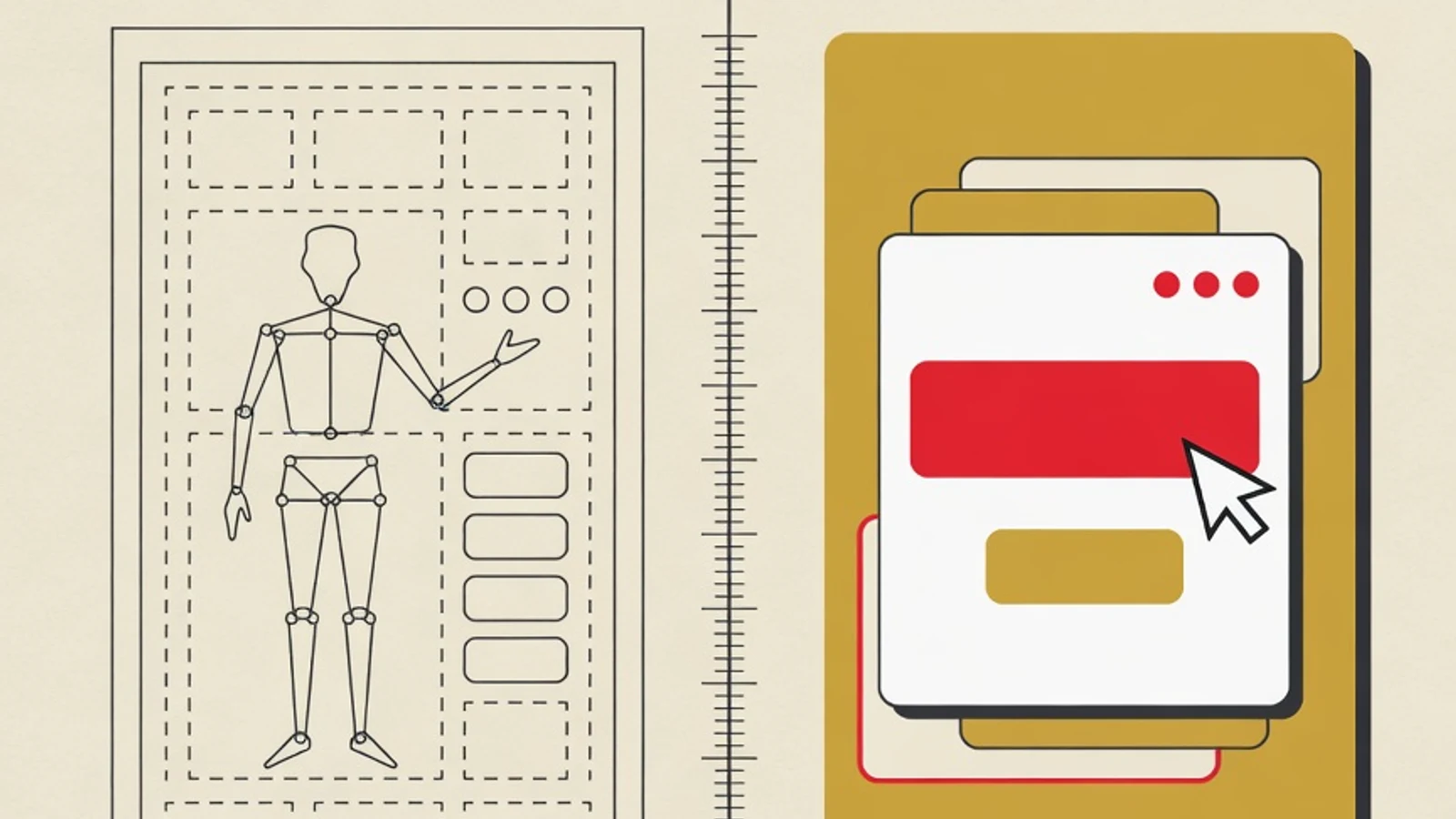
The difference between UI and UX for beginners is easiest to grasp this way. UX (User Experience) handles the whole experience of using a product, while UI (User Interface) handles the visuals and elements a person touches on screen. UX arranges the flow and logic, UI arranges the colors, buttons, and layout.
- UX is the overall experience, UI is the look and interaction on screen
- Both complement each other inside the same digital product
- Beginners may start from either one, then learn how the two connect
Numbers that help make sense of UI and UX
What is UX (User Experience)
UX design is the work of shaping a person's whole experience when using a product, app, or website. Its scope is wide: from understanding who the users are and what they need, to making sure every step feels clear and sensible. A UX designer asks many questions before drawing anything. Who will use this product? What problem are they trying to solve? Where do people usually get confused? Don Norman, who popularized the term user experience, stresses that it covers a person's entire interaction with a company and its services and products. A simple example: a food ordering app with good UX makes it easy to find the menu, understand the cost, and know the order is being processed. All that comfort is the result of UX work, even though we rarely notice it. This is where the difference between UI and UX starts to show: UX works on the logic and the flow, in a layer the eye does not always see.
What is UI (User Interface)
UI design is the work of shaping the visuals and elements a user actually sees and touches. Colors, typefaces, icons, spacing between elements, button sizes, even the small animation when a menu opens, all sit within UI. Where UX decides which steps a user goes through to order food, UI decides what each screen in those steps looks like. Good UI makes a product feel tidy, consistent, and pleasant to look at while staying easy to operate. The main button is made to stand out so it is easy to find. Color is used with intent, such as red for warnings and green for confirmation. Text is arranged to read comfortably on a small phone screen. Understanding the difference between UI and UX becomes easier once we realize UI is the visible form of decisions that UX planned first.
UI vs UX: a quick comparison for beginners
| Aspect | UX Design | UI Design |
|---|---|---|
| Main focus | Experience and flow of use | Look and interaction on screen |
| Core question | Is this product easy to use? | Is this product pleasant to look at? |
| Sample decision | The order of steps when ordering | The order button's color and placement |
| Typical output | Research, wireframes, user flows | Mockups, visual components, style guides |
| Measure of success | Users finish their task | Interface is tidy, consistent, readable |
This table simplifies things for clarity. In practice, the line between UX and UI often overlaps and the two collaborate closely.
Day-to-day tasks: UX designer and UI designer
User research
A UX designer interviews prospective users, builds personas, and maps needs before a single screen is drawn.
Building the flow
A UX designer creates wireframes and user flows, rough frames showing the order of steps without color detail.
Shaping the visuals
A UI designer picks the color palette, typefaces, and icon style so the product feels consistent and pleasant.
Building components
A UI designer assembles buttons, cards, and repeating elements into a style guide so the team builds uniformly.
How to quickly tell UI from UX
When you open an app, train your eye with these four steps so the difference between UI and UX feels concrete.
- 1
Notice the flow first
Try to complete one small task, such as signing up or searching for a product. Watch how many steps it takes and whether each one feels clear. If the flow is easy to follow and you never get lost, that signals good UX. Anything tied to order, logic, and the ease of finishing a task belongs to UX.
Tips- Count the steps from start to reaching the goal
- Note the moments when you hesitate over what to tap
- 2
Study the look of each screen
Once the flow feels clear, step back and observe how each screen looks. Look at color choices, font sizes, spacing between elements, and which button stands out most. All those visual decisions are UI work. A tidy, consistent interface helps the eye find what matters calmly.
Tips- Check whether color is used with a clear purpose
- See whether the visual style stays consistent across pages
- 3
Sort complaints into two kinds
When an app feels difficult, ask where the difficulty comes from. Complaints like the steps are convoluted or a feature is hard to find point to UX. Complaints like the text is too small or the button is hard to distinguish point to UI. This habit of sorting trains you to see a product the way a designer does.
Tips- A confusing flow leans toward a UX problem
- A hard-to-read look leans toward a UI problem
- 4
See where the two meet
The final step is noticing their meeting point. A bold order button (UI) is useless if placed at the wrong step in the flow (UX). A concise ordering flow (UX) still feels heavy if the screen is cluttered (UI). The best products appear when UX and UI decisions are designed to support each other from the start.
Judging UI without understanding the UX flow behind it often leads to the wrong conclusion about a product's quality.
“User experience covers all aspects of a person's interaction with a company and its services and products. The interface visuals are only one part of that far broader experience.”
Beginner checklist: deciding whether to start with UI or UX
- I enjoy observing how people behave and asking why they choose things, leans toward UX
- I love arranging colors, fonts, and layout to look good, leans toward UI
- I am comfortable building logic and step-by-step flows, leans toward UX
- I am meticulous about visual detail and display consistency, leans toward UI
- I want to understand both fully, either starting point still connects to the other
Should beginners pick one first
For beginners, understanding the difference between UI and UX matters more than rushing to choose a specialty. Many early designers in Indonesia start as UI/UX designers who handle both, especially at startups where teams are still small. As experience grows, some go deeper into research and flow on the UX track, while others strengthen their visual craft on the UI track. Starting from either side is fine as long as you understand that both build one complete product. The good news is that both tracks can be learned without an engineering background or coding skills, using free tools like Figma as a practice ground. Guidance from experienced teachers helps you set a clear learning order, gives feedback on your work, and keeps your direction aligned with what the industry needs.
- UX handles the experience and flow of use, UI handles the look and interaction on screen.
- UI and UX are two different disciplines that work side by side within one digital product.
- Beginners may start with either UI or UX, the key is understanding how the two connect.
- UI/UX can be learned without coding skills, using design tools like Figma.