Online Technology Lessons
Online Computer Tutoring
Learn computers from home without hunting for a course center. In EduPoint online computer tutoring, a real teacher guides you one step at a time over video call: from holding a mouse and typing with ten fingers to building Word and Excel documents and staying safe with digital transactions. Teacher and student open the same module on screen, so every step is clear and can be replayed any time.




3,500+
tutors
5,200+
students
4.9
rating · 1,272 reviews
60+
cities
What is Online Computer Tutoring?
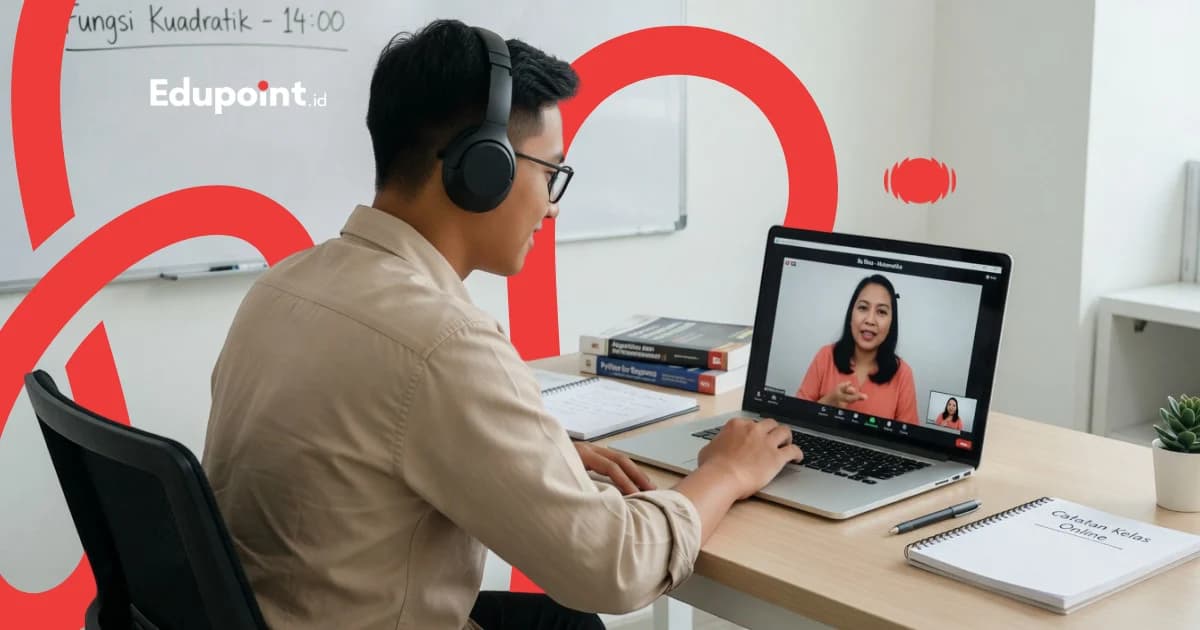
Online computer tutoring is private, one teacher and one student computer guidance that runs over a video call such as Zoom or Google Meet. The teacher shares their screen to show every click while the student practices directly on their own computer. The material adapts to each need: basic operation, Microsoft Office (Word, Excel, PowerPoint), fast 10-finger typing, internet and email, and digital literacy. Every module, note, and session recording is stored in the EduPoint app, ready to reopen between practice sessions.
- A real computer teacher guides live during every online session, open to your questions
- The teacher shares their screen while the student practices on their own computer at the same time
- Word, Excel, typing, and digital-literacy modules are structured and reopenable
- Sessions are recorded, so anything unclear is easy to replay
- Learn from any city with top teachers from leading campuses
Stages Inside Online Computer Tutoring
Four stages worked through on screen, from truly zero to office-ready
Brave Start
Meeting the Computer & Video Calls (0-1 month)For those who have never touched a computer. The teacher guides, on screen, how to switch on the device, move the mouse, and join a video call calmly.
Subjects:
Device & System BasicsMouse & KeyboardJoining Online Sessions
Focus Areas:
- Meeting the parts of a computer through camera and screen sharing
- Practicing clicks and typing while the teacher guides by voice
- Joining and leaving a Zoom or Google Meet session independently
- Saving files and recognizing common icons
Fluent Daily
Files, Typing & Apps (1-2 months)Students start managing files on their own and typing with correct finger positions. The teacher corrects any habit that needs tidying, live on screen.
Subjects:
File Management10-Finger TypingEveryday Apps
Focus Areas:
- Creating, saving, and arranging folders neatly
- Practicing 10-finger typing with the teacher tracking accuracy
- Copy, paste, and managing documents with confidence
- Using built-in apps and cloud storage
Work & School Ready
Microsoft Office & Internet (2-4 months)Office essentials are taught through real examples: teacher and student work on the same document on screen until it is tidy and ready to use.
Subjects:
Microsoft WordMicrosoft ExcelInternet & Email
Focus Areas:
- Word: letters, reports, and clean formatting
- Excel: tables, basic formulas, and simple charts
- PowerPoint: presentations that are easy on the eye
- Email, Google Drive, and safe browsing
Confident & Independent
Productivity & Digital Safety (4+ months)Students sharpen skills that make work faster and keep them safe online, with the teacher on hand for trickier cases.
Subjects:
Advanced OfficeDigital LiteracyProductivity
Focus Areas:
- Word: mail merge and automatic tables of contents
- Excel: VLOOKUP and basic PivotTables
- Strong passwords and spotting online scams
- Public online services and safe digital wallets
Online Computer Tutoring Modules
Modules opened together on screen and still reachable again in the app
Module order and depth are set during consultation, following each student's age and goal
Computer & Online Session Foundations
The first footing so students feel at ease learning through the screen from session one
- Meeting the device through the teacher's camera
- Mouse and keyboard while being guided
- File and folder management
- Joining and sharing screen in a video call
- +1 more
Fast 10-Finger Typing
Guided typing practice with accuracy tracked live by the teacher
- Finger positions on the home row
- Step-by-step drills each online session
- Practice apps opened together
- Realistic speed targets
- +1 more
Microsoft Word
Building tidy documents through examples worked side by side on screen
- Text and paragraph formatting
- Letters and formal documents
- Tables and images in documents
- Headers, footers, and numbering
- +1 more
Microsoft Excel
Handling data and calculations with step-by-step guidance
- Creating tables and entering data
- Basic formulas SUM, AVERAGE, IF
- Number, currency, and date formats
- Building charts and diagrams
- +1 more
Internet, Email & Collaboration
Staying connected and productive online, safely
- Browsing and search engines
- Creating and managing email
- Google Drive and cloud storage
- Video calls for family and work
- +1 more
Digital Literacy & Safety
Essential footing to stay safe now that everything has moved to the screen
- Strong passwords and two-step verification
- Recognizing scams and phishing
- Privacy and digital footprint
- Digital wallets and safe transactions
- +1 more
Who It Is For
Online Computer Tutoring for Primary Schoolers to Seniors
One program through the screen, with material adapting to each student's age and goal
Primary Schoolers (ages 7-12)
Children meeting the computer for the first time or preparing for ICT lessons. Teachers keep sessions light and interactive so children enjoy learning from home.
Recommended:
Computer Foundations10-Finger TypingHealthy Internet
Middle & High Schoolers
Students who want schoolwork to look professional and to master Microsoft Office without leaving home.
Recommended:
Microsoft WordMicrosoft PowerPointInternet Research
Workers & Job Seekers
Those who need Office skills to pass hiring tests or finish office tasks faster, with lesson slots they can take after work.
Recommended:
Microsoft ExcelProfessional EmailCloud Productivity
Homemakers & Small Businesses
Those who want to track household or small-business finances in Excel and sell online, learning from home between busy hours.
Recommended:
Basic ExcelInternet & EmailDigital Literacy
Adults & Seniors (Going Digital)
Those who want to stay connected with family and use digital services independently. Teachers guide on screen at a patient, safe pace.
Recommended:
Computer FoundationsFamily Video CallsSafe Digital Transactions
Featured
The EduPoint Learning System: Shared Modules & Tracked Progress
This is what sets EduPoint online computer tutoring apart. Teacher and student open the same module on screen, every session is recorded, and each student's growth is reported clearly to parents or to the learner.
Report Features
Co-Learning Modules on One Screen
Teacher and student open the same computer module during the session. More than 1,000 active modules make every step, from typing to Excel formulas, clear and easy to follow.
Recorded Sessions to Replay
Every online computer session can be recorded and saved in the app. Anything missed is simply replayed, with no scramble to keep up with notes.
Practice Kept Tidy
Word practice documents, Excel files, and typing results are stored in one place, so students can reopen and continue between lessons.
Progress Reports for the Family
Skill growth is logged per module and shared with parents, so the family knows exactly how far the student has come.
Sample Progress Report
Dimas, grade 9
Student & Worker Track • Sessions 1-16
74%
Overall Progress
Sessions Completed
16 of 24
Next Milestone
Finish a full Excel report with charts
Aug 20, 2026
Microsoft Word
On Track82/90
Documents and letters are tidy, mail merge left to go
Microsoft Excel
Improving68/85
Basic formulas fluent, starting PivotTables
10-Finger Typing
On Track75/90
Speed rising steadily, accuracy improving
Digital Literacy
Needs Attention60/80
Needs practice spotting online scams
From Teaching Computers Through the Screen
Online Computer Learning Hurdles & How Teachers Handle Them
Learning through a screen has its own challenges. EduPoint online computer teachers have the way through them ready from session one.
Students hesitate, afraid of pressing the wrong thing alone at the computer
Why it happens
With no one alongside, beginners often hold back, never dare to try, and give up quickly.
How we fix it
The teacher shares their screen and walks through each click, then asks the student to practice while watched, until fear turns into confidence.
Attention drifts easily when learning alone at home
Why it happens
Phone notifications and household bustle can split focus if the session runs one-way and flat.
How we fix it
Sessions stay interactive with turns taken on screen, so the student is always involved and the teacher notices the moment attention dips.
The internet connection sometimes stalls mid-session
Why it happens
A shaky network can cut material short and leave the student missing a key step.
How we fix it
Every session is recorded and modules are stored in the app, so any missed part is easy to replay without disrupting the next schedule.
Parents are unsure how far the child has come through the screen
Why it happens
Online learning can feel out of sight, making it hard for families to judge progress without a clear report.
How we fix it
Progress is logged per module and shared with the family, complete with notes on mastered skills and what still needs practice.
All of this support is built into the EduPoint Learning System, not a separate add-on charged on top.
Why Us
Why Choose EduPoint Online Computer Tutoring
Learning guided by a real teacher, with shared modules and reach that ignores distance
A Live Teacher You Can Ask
Students learn with a teacher who is genuinely present on screen and ready to answer whenever something is confusing, so no question is left hanging.
No Distance Barrier
Top computer teachers from leading campuses can teach students in any city. Access that was once hard to find in the regions is now open through the screen.
Patient for Every Age
Teachers are used to guiding children through to seniors at a calming pace, so no one feels rushed or shy about asking.
Modules & Recordings Always There
All modules and session recordings live in the app, so students can revisit material any time between online computer lessons.
Saves Time and Travel
Learning from your own desk means no time lost on the road and no transport cost, while the schedule follows the family's rhythm.
Selected Online Computer Teachers
Learn with teachers who are patient, thorough, and used to teaching computers through the screen for every age
Tutor Qualifications
- Full command of Microsoft Office and digital literacy
- Used to teaching computers over video call and screen sharing
- Patient and clear when guiding total beginners from a distance
- Backgrounds in ICT, Information Systems, or Informatics education
- Passed EduPoint selection and teaching training
Raisa R.
Information Systems, Universitas Indonesia
Introducing computers from zero on screen“Through screen sharing, Raisa guides students to know the parts and workings of a computer step by step, until they dare to operate it themselves.”
Novrisa N.
Information Systems, Universitas Telkom
Guiding Microsoft Office remotely“Novrisa works on Word and Excel documents with students on the same screen, so every formula and format is practiced by the student right away.”
Haidar A.
Information Systems, Universitas Ahmad Dahlan
Safe internet and digital literacy“Haidar invites students to practice finding information and protecting personal data, essential now that almost everything has moved to the screen.”
Ayu M.
Informatics Management, Universitas Teknologi Yogyakarta
Fast typing with accuracy tracking“Ayu watches students' finger positions through the camera and shared practice, building fast, tidy typing habits from the first session.”

Ade S.
Informatics Engineering, Universitas Klabat
Handling minor technical hiccups alone“Ade teaches students to recognize small computer issues and handle them calmly, keeping online learning smooth even with no technician nearby.”

Fina F.
Informatics and Computer Engineering Education, Universitas Negeri Semarang
Guiding beginners patiently and in order“With an education background, Fina explains each step patiently on screen, a fit for students truly new to using a computer.”
Testimonials
Stories of Learning Computers Through the Screen
Experiences from parents, workers, small-business owners, and seniors now confident at the computer
My fourth-grader joined online computer tutoring because there is no course center near our city. The teacher was so patient guiding through the screen. Now he can build his own school presentations.
Mrs. Ratih P.
Parent of a primary student • Balikpapan
I work shifts and struggle to attend in-person courses. Evening online Excel lessons with a live teacher helped a lot. I could ask when stuck and replay the sessions.
Mr. Yusuf M.
Operations staff • Samarinda
Running a small online shop, I needed Excel to track orders. Learning through the screen turned out comfortable, and the teacher used examples from my own business. Bookkeeping is far tidier now.
Mrs. Sinta C.
Small-business owner • Pontianak
I am 60 and did not dare touch a computer. The online teacher guided me slowly over video call until I could video-call my grandchildren and send email myself. I can reopen the modules too.
Mr. Harun R.
Retiree, age 60 • Manado
My middle-schooler needed Word and PowerPoint for assignments. Online computer tutoring meant no travel. The teacher corrects right on screen, and the work now looks professional.
Mrs. Devi A.
Parent of a middle-school student • Jambi
As a fresh graduate I felt behind on computer skills. After a few weeks of online Office lessons I am fluent and far more confident in job interviews.
Mr. Bagas T.
Fresh Graduate • Pekanbaru
Online Computer Tutoring Cost
Learn with a real teacher through the screen at a per-hour rate that is friendly for families
Starting from
Rp 79.000 / hour
Final price is set at registration.
This is the lowest hourly rate, derived from the 28-session monthly plan at 120 minutes per session. Per-session prices (60, 90, or 120 minutes) appear in the format options above.
Register & Get a QuoteFlexible payment — QRIS, Virtual Account, Alfamart, Indomaret, transfer & e-wallets.
The fee follows duration, level, and the number of monthly sessions. Our team calculates the total during consultation and form completion.
Private Online Computer Tutoring Versus Learning Alone
Watching videos or opening a study app is cheap, yet no one corrects you when you get stuck. Here is where the difference lies.
| Feature | EduPoint Private Tutoring | Recorded Video Class | Self-Study App |
|---|---|---|---|
| A real teacher guides live on screen | |||
| Ask questions the moment you get stuck | |||
| Teacher corrects hand position and wrong steps | |||
| Material adapts to the student's age and goal | |||
| Sessions recorded to replay | |||
| Progress reported to parents or the learner |
Online Computer Tutoring Reach
Online Tutoring
Online WorldwideOnline computer tutoring is available for students across Indonesia and beyond, reached over video call with no distance barrier
- Teacher guides live through screen sharing
- Session recordings stored in the app
- Digital modules and practice files
- Progress reports for the family
Student Achievements
Online Computer Tutoring Journeys
Real progress reached by EduPoint students from their own homes
Success
From Only Playing Games to Office-Savvy
Rangga A.
Primary Student, Grade 5
Before
20
After
88
From meeting the mouse to building presentations
Success
From Homemaker to Clinic Admin
Wulan V.
Now works at a nearby clinic
Before
30
After
85
Command of Word, Excel & email — now a clinic admin
Success
From Tech-Shy to Online Shop Owner
Mrs. Rahma P.
Fashion online business owner
Before
15
After
82
Records orders in Excel & builds catalogs in PowerPoint
FAQ
Questions About Online Computer Tutoring
From how sessions run and what devices you need to the video-call platform and payment options
Each session is one teacher and one student over a video call. The teacher shares their screen to show each step, then the student practices on their own computer while being guided. All modules and session recordings are stored in the EduPoint app, ready to reopen between lessons.
Absolutely. Teachers are used to guiding students who have never touched a computer, including seniors, at a patient pace. In the early stage, the teacher walks through using the mouse, typing, and joining a video call, step by step on screen.
A computer or laptop with an internet connection, camera, and speaker or headset is enough. For Microsoft Office practice, the same computer or laptop each session is recommended. If choosing a device is confusing, our team is glad to advise based on your needs and budget.
Sessions run over Zoom, Google Meet, or whichever choice is most comfortable for the family. The learning modules and session recordings live in the EduPoint app. So the video-call platform follows your habit, while material and progress notes gather neatly in one place.
Sessions can be taken from 6:00 am to 11:00 pm, following the family's rhythm. Students can learn after school, workers can pick the evening, and seniors can choose their calmest time. Session lengths of 60, 90, or 120 minutes are available.
Guides & Tips
Supporting articles to help you decide and maximize learning outcomes.
Online Lessons Often Paired Together
Other technology programs that round out computer skills
Start Learning Computers from Home Today
A free consultation to talk through what you can already do and shape an online computer tutoring plan that fits, for a child, yourself, or your parents
Free consultation about your goalsTeacher selected to match your needsCo-learning modules and recorded sessionsTeacher replacement guarantee